
Wedding photo comparison
Shared photo album vs wedding event app: which gets more photos?
After the wedding, someone drops a Google Photos or iCloud link into the group chat. A few people upload. Most forget. Two weeks later, the album has a thin set of photos from the same three relatives, and everyone else still has the good candids locked in their camera rolls.
That pattern is why couples compare shared photo albums with wedding event apps. Both can collect guest photos. They do not create the same behavior. One asks people to contribute later. The other asks them to contribute while the wedding is still happening.
This guide explains the real differences, when a shared album is enough, and when a disposable-camera style event app is the better fit.
The short version: shared albums solve the storage problem. Wedding event apps solve the participation problem. If your biggest worry is where to keep images after the fact, an album may be fine. If your worry is that the best guest photos will never leave anyone's phone, the capture workflow matters much more than the archive.
What a shared photo album is good at
Shared albums are familiar. Guests already know Google Photos, iCloud, or similar tools. Setup is fast, cost is low, and the album can hold professional photos and guest uploads in one place after the fact.
That familiarity is useful after the wedding. A shared album can become the place where parents save formal portraits, siblings add rehearsal dinner photos, and friends drop a few favorite dance-floor shots once they are home. It is also easy to explain to a tiny group: open the link, add the photos, and keep the album for later.
They work best when your guest list is small, tech-comfortable, and motivated. If ten close friends will reliably upload later, a shared album can be enough. The problem appears at wedding scale: mixed ages, mixed phone ecosystems, travel the next day, and a weak reason to complete the upload task.
A shared album also tends to collect a narrow slice of the day. The people who upload are often the same people who already document everything. That can be valuable, but it does not necessarily produce the table-by-table, group-by-group view couples imagine when they ask for guest candids.
What a wedding event app is good at
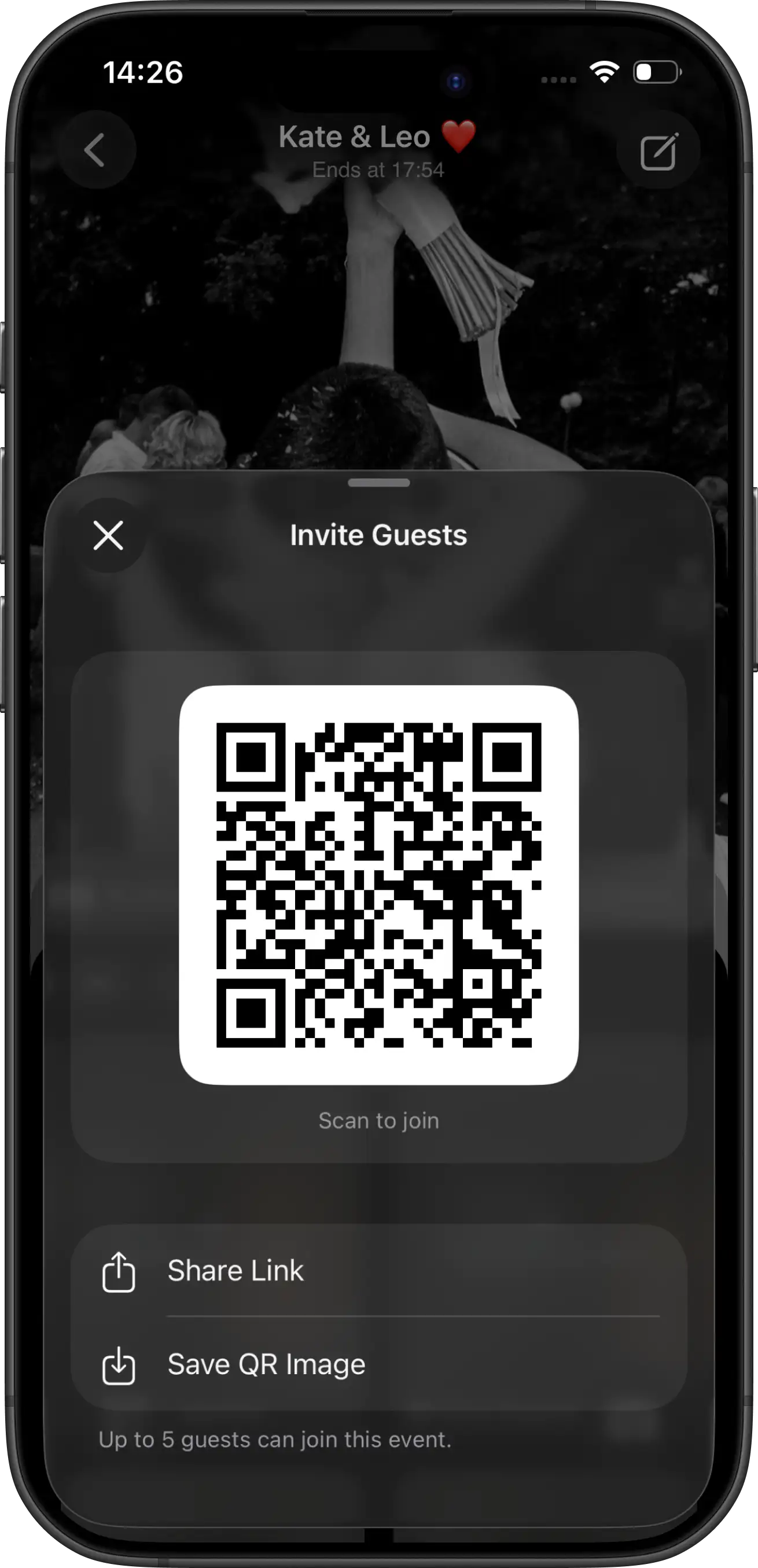
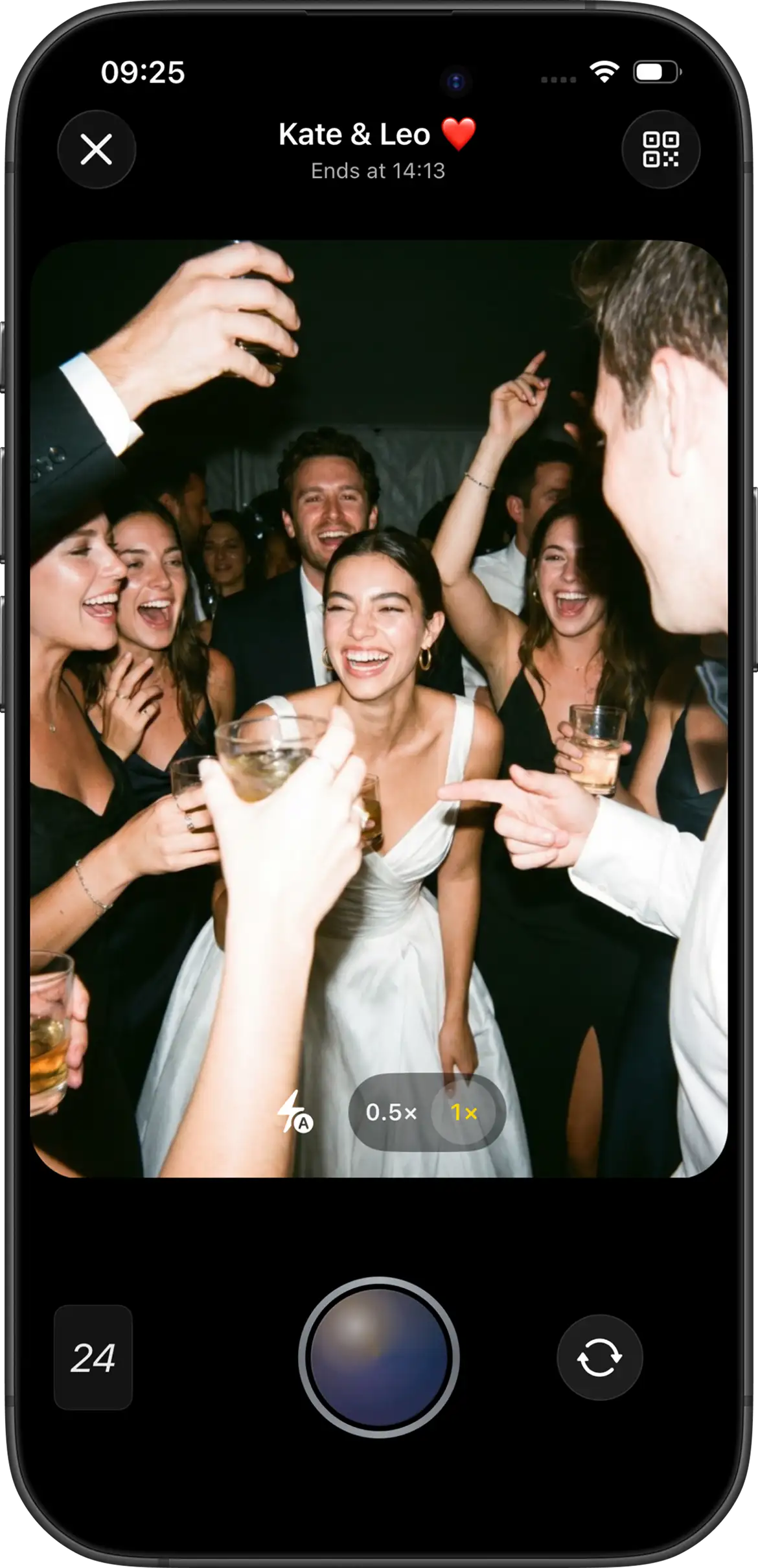
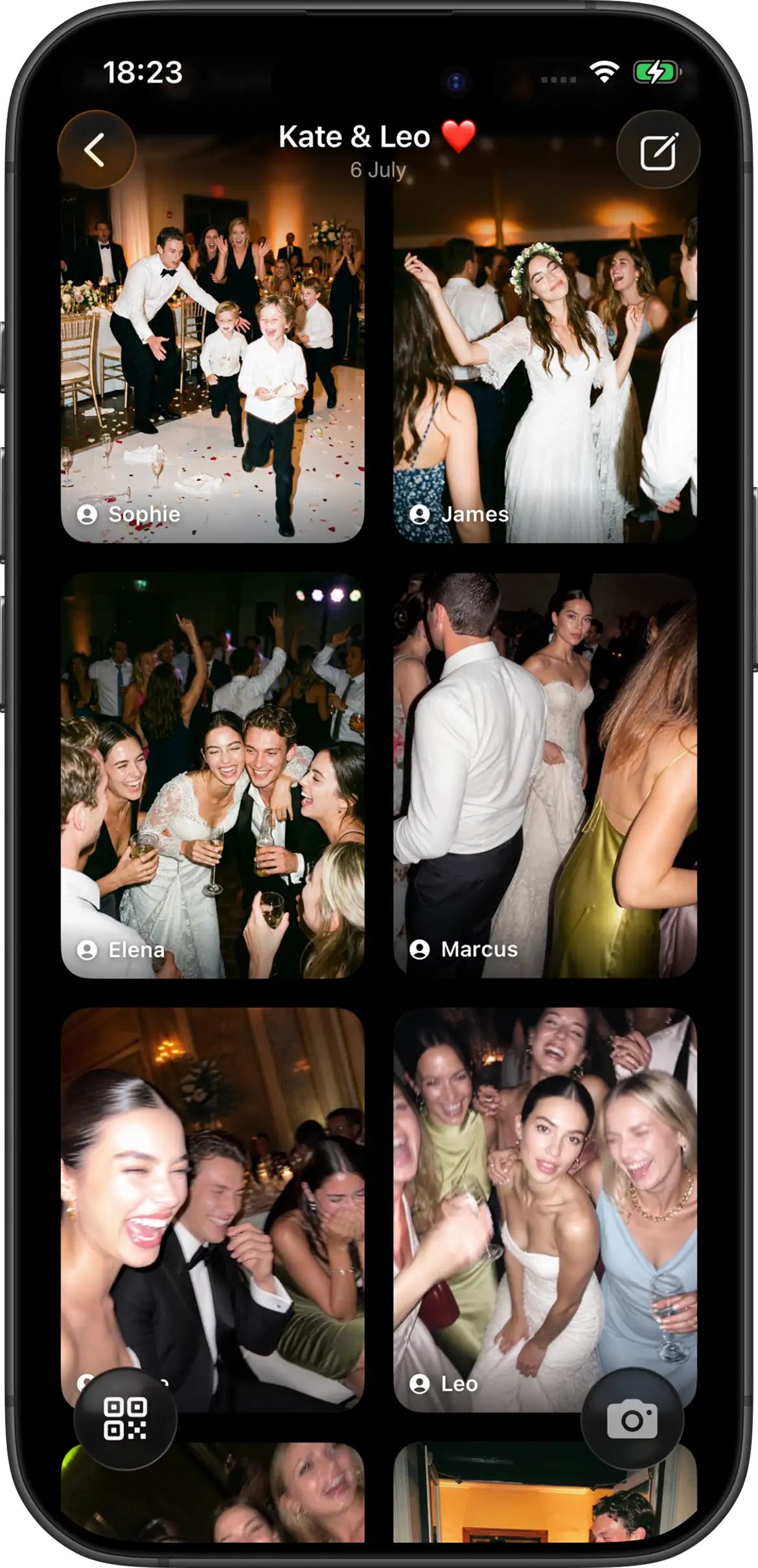
A wedding event app, especially a digital disposable camera, turns guest phones into a shared camera during the reception. Guests scan a QR code or open an invite, take shots into one gallery, and follow host-set rules such as shot limits and reveal timing.
The important difference is that the photo tool becomes part of the event instead of an errand afterward. A table card can say that each guest has a limited number of shots. A DJ or MC can invite everyone to capture the reception from their point of view. The couple can decide whether photos appear immediately or stay hidden until the event is over. Those small constraints make participation feel like a shared activity rather than a request for files.
With Join Camera, hosts configure guest capacity, shot limits, Vintage or Black & White filters at creation, and instant or delayed reveal. Guests can take shots without an account. iPhone guests can join through the App Clip. Android guests join from the same invite in the Join Camera app. Offline capture is supported. Video is not supported yet.
The advantage is timing. Contribution happens while people are already in photo mode, not after they are packing for the airport. The app does not need to replace your photographer, and it should not try to. It fills the gap between professional coverage and the hundreds of informal moments happening at side tables, cocktail hour, the bar, and the dance floor.
Side-by-side comparison
| Factor | Shared album | Wedding event app |
|---|---|---|
| When photos are collected | Mostly after the wedding | During the wedding |
| Guest friction | Account / ecosystem friction common | Short QR / invite path; no account to shoot |
| Shot limits | Usually none | Host-configurable |
| Reveal ritual | Usually immediate | Instant or delayed |
| Best outcome | Convenient archive | Higher candid participation |
The table looks simple, but the behavioral difference is big. A shared album waits for guests to become editors after the wedding: they have to review, select, and upload. An event app asks them to become participants during the wedding: scan, take a few shots, and move on. That smaller in-the-moment action is usually easier to win.
Why shared albums underperform at weddings
Shared albums fail less because the software is broken and more because the human workflow is weak. The ask comes too late. Guests leave the venue, travel, recover, and return to normal life. Uploading your wedding photos becomes optional homework.
There is also an emotional drop-off. During the reception, guests are surrounded by the people and details that make a candid photo worth taking. A day later, they are sorting luggage, catching up on messages, or driving home. Even guests who loved the wedding can forget the album link because nothing in their environment reminds them to contribute.
- Passive contribution: Guests must remember later instead of acting in the moment.
- Ecosystem friction: Not every guest is in the same photo platform.
- No scarcity: Unlimited albums feel like storage, not a wedding activity.
- No shared unlock: There is usually no disposable-camera style reveal moment.
None of those problems mean shared albums are bad products. They are just designed around organization, not motivation. Weddings need both, but motivation has to come first if you want a fuller guest gallery.
When a shared album is still the right choice
Choose a shared album if your priority is a simple archive for a small group that already collaborates well in the same app. It can also work as a secondary destination after the wedding: a place to keep professional galleries or a few family uploads beside the main event collection.
It is especially reasonable for rehearsal dinners, family brunches, elopements, and very small receptions where everyone knows each other and communication is direct. In those settings, the couple can text the link once and trust the group to follow through. The guest list is small enough that a few missed uploads do not change the story of the day.
Do not choose a shared album as your only plan if you want high guest participation across a mixed 80- to 150-person reception. In that case, you need an in-the-moment capture system.
When a wedding event app is the better fit
Choose an event app when you want more candid photos from more guests and you care about the disposable-camera feeling: limited shots, one shared gallery, and optionally a delayed reveal. This is usually the stronger fit for receptions, multi-room venues, and guest lists that will never reliably upload later.
Event apps are also useful when you want the gallery to reflect more than the loudest or most camera-happy guests. Shot limits encourage people to choose moments, not dump camera rolls. A delayed reveal keeps attention on the celebration. A single QR or invite link gives everyone the same starting point, even if they arrived through different phone ecosystems.
Setup still matters. Place the QR where guests pause, keep wording short, and tell people whether photos unlock instantly or after the event. For the practical workflow, see how to collect wedding photos from guests and wedding QR code photo sharing.
The best placements are repetitive without feeling intrusive: reception tables, the guestbook area, the bar, and a welcome sign near the flow of traffic. The best wording explains the ritual in plain language: take your limited shots now, then see the gallery when it unlocks.
How to decide in ten minutes
You do not need a week of research to choose. Ask three questions and the answer usually becomes obvious.
- Do we want guests contributing during the reception, or are we fine with uploads after travel and recovery?
- Is our guest list small and tech-comfortable, or mixed across ages and phone ecosystems?
- Do we care about limited shots and a delayed reveal, or do we only need a place to store files?
If the answers point toward in-the-moment capture, scarcity, and a mixed guest list, choose a wedding event app. If the answers point toward a tiny group that already collaborates in one album tool, a shared album can still be enough. Most mid-size and large weddings land in the first category.
For participation tactics after you choose, see how to get wedding guests to take photos. For a broader app shortlist, see best wedding photo sharing apps.
A practical recommendation
If you want the most guest candids, use a wedding event camera during the reception. Share the revealed gallery once afterward. If you also want a long-term family archive, create a shared album later for professional photos and selected keepers — but do not make that album the only way guests are asked to contribute.
A simple stack works well: event camera for participation, revealed gallery for everyone to enjoy, and optional shared album for longer term organization. That keeps the day-of ask simple while still giving families a place to save polished favorites later.
Join Camera’s free tier supports up to 5 guests with up to 24 shots each, which is enough to test the difference before the wedding. After reveal, signed-in users can download photos. Hosts can delete shots they do not want kept. There is no separate moderation workflow beyond host deletion.
If you are deciding between the two options, test the actual guest path rather than judging from screenshots. Ask one iPhone user, one Android user, and one less tech-comfortable person to join. The tool that produces completed photos with the least explanation is the one most likely to work at the reception.
Try a wedding event camera


Questions? Contact us.
Frequently asked questions
Is a shared photo album enough for a wedding?
A shared photo album can be enough for a very small, tech-comfortable group that already uses the same photo ecosystem and will reliably upload later. For most weddings, it underperforms because the request is passive: guests must remember after the event, sign into the right app, choose what to share, and complete the upload when the emotional momentum has faded. An event camera changes the behavior by collecting photos during the wedding itself, while people are already dressed up, gathered together, and looking for small ways to participate.
What is the difference between a shared album and a wedding event app?
A shared album is mainly a storage destination for photos guests already took on their normal camera apps. A wedding event app turns guest phones into a shared event camera during the celebration, often with host-configured shot limits, a chosen look, and an instant or delayed reveal. One tool is optimized for organizing files after the fact. The other creates a lightweight photo ritual while the wedding is happening, which is the moment when guests are most likely to contribute.
Will guests actually use a wedding event app?
Guests are much more likely to use any wedding photo tool when the join path is short, the invitation appears where they naturally pause, and the couple explains the activity in one sentence. With Join Camera, guests can take shots without creating an account. iPhone guests can join through the App Clip from a QR code or invite link, while Android guests join from the same invite in the Join Camera app. Clear table cards, a short DJ or MC mention, and a visible first wave from the wedding party help the camera feel like part of the celebration instead of a tech task.
Can I use both a shared album and an event app?
Yes. A practical setup is to use an event camera during the wedding to collect candids, then share the revealed gallery afterward. You can still keep a shared album later for professional photos, family archives, or selected favorites. The important rule is to give guests one primary contribution path during the event. If the table card, program, and announcement all point to the same camera, guests know exactly what to do.
Which option is better for delayed reveal?
A wedding event app is the stronger fit if delayed reveal is part of the experience you want. Shared albums usually show photos as soon as they are added, which makes them feel like storage rather than a shared unlock. Join Camera supports delayed reveal so photos can stay hidden until after the event, optionally after an additional host-selected delay. That recreates more of the disposable-camera feeling: guests take their limited shots first, then everyone gets to see the collection later.
Related: best wedding photo sharing apps · wedding photo sharing app · best disposable camera apps · Join Camera for weddings