
Wedding photo guide
How to collect wedding photos from guests (without the chaos)
Your guests already capture the moments you will want most later: the laugh during cocktail hour, the table-side reactions during speeches, the dance-floor angles your photographer cannot stand next to all night. The problem is almost never getting guests to take photos. The problem is collecting those photos in one place without spending the next two weeks chasing links, screenshots, and "I'll send them later" promises.
The best wedding guest photo system does two things at the same time: it makes participation feel easy in the moment, and it removes the need for follow-up after the wedding. That is why the strongest setups are not passive shared albums. They are active, event-day rituals built around one shared camera, one destination, and one clear instruction.
Below is a practical guide to collecting wedding photos from guests, what usually goes wrong, and how to set up a digital disposable camera flow that actually works on a real wedding day.
Why collecting wedding guest photos is harder than it sounds
On paper, the task seems simple: ask guests to share their photos. In practice, every extra step reduces participation. Weddings are high-energy, cross-generational events. People use different phones, different habits, different apps, and different definitions of what "sharing later" means. A solution that works for a ten-person birthday dinner often breaks down at a 90- or 150-person wedding.
- Everyone is already in a different ecosystem. Some guests text photos, some AirDrop them, some upload to Google Photos, and some never export them from their camera roll at all. By midnight, your images are already fragmented.
- Memory fades fast after travel starts. The day after the wedding, guests are on flights, recovering, packing, or returning to work. Uploading your gallery becomes an optional chore, and optional chores usually do not get done.
- Unlimited albums create clutter instead of intention. When there is no shot limit, no shared aesthetic, and no reveal moment, the gallery behaves like file storage instead of a wedding experience. You often end up with too many low-value duplicates and too few meaningful candids.
- Couples become project managers after the party. Asking again in texts or group chats feels awkward. The whole point of setting up a guest-photo system is to avoid a second job after the wedding.
What actually matters in a wedding photo collection setup
If your goal is more candid photos from more guests, three factors matter most. These are more important than niche gallery settings or decorative extras.
1. Low-friction guest participation
The fastest path always wins. Guests should be able to scan, understand what they are joining, and start taking photos with almost no explanation. When the path depends on account creation, finding the correct app, or remembering an upload flow later, contribution falls off sharply.
2. One shared destination for every photo
A wedding does not need five collection channels. It needs one. The more places guests can "maybe send things later," the lower the chance you ever get a complete gallery. One event camera and one destination is simpler for guests and much easier for hosts.
3. A reason to participate during the event
The best systems make photo-taking part of the wedding itself. Limited shots, a shared filter, and a reveal later give guests a reason to play along now rather than postpone the task. That is the real difference between a disposable-camera style flow and a plain upload form.
Why common wedding photo sharing methods fall short
Group chats
Group chats feel convenient because everybody already has them, but they are weak as a collection system. Photos get buried under conversation, compressed by messaging apps, and split across multiple groups depending on who knows whom. They are fine for a few highlights. They are poor for building one usable wedding gallery.
Google Photos or iCloud shared albums
Shared albums are familiar, but they are still passive. Guests must remember to add photos later, and some will hit account or ecosystem friction on the way. Even when the album works technically, it usually feels like cloud storage rather than a fun event activity. There is no shot rhythm, no reveal moment, and no reason for people to care in the moment.
Physical disposable cameras
Physical cameras still inspire the best digital ideas because they create limits and anticipation. But operationally, they are heavy. You need to buy them, place them, collect them again, pay for development, and accept the risk of underexposed, lost, or unused rolls. They can still work as an aesthetic choice, but they are expensive logistics compared with digital event-camera setups.
Upload-only QR galleries
Upload galleries solve one part of the problem: they give people a link to send files. What they do not solve is behavior. Guests still have to shoot on their normal camera, remember to return to the QR page later, and choose what to upload after the fact. They are collection tools, not necessarily participation tools.
The better approach: one shared event camera
A digital disposable-camera setup works because it collects photos while the wedding is happening, not after it. Every guest joins the same event, contributes into the same gallery, and follows the same rules. Instead of saying "please send your photos later," you are saying "this is the camera for tonight."
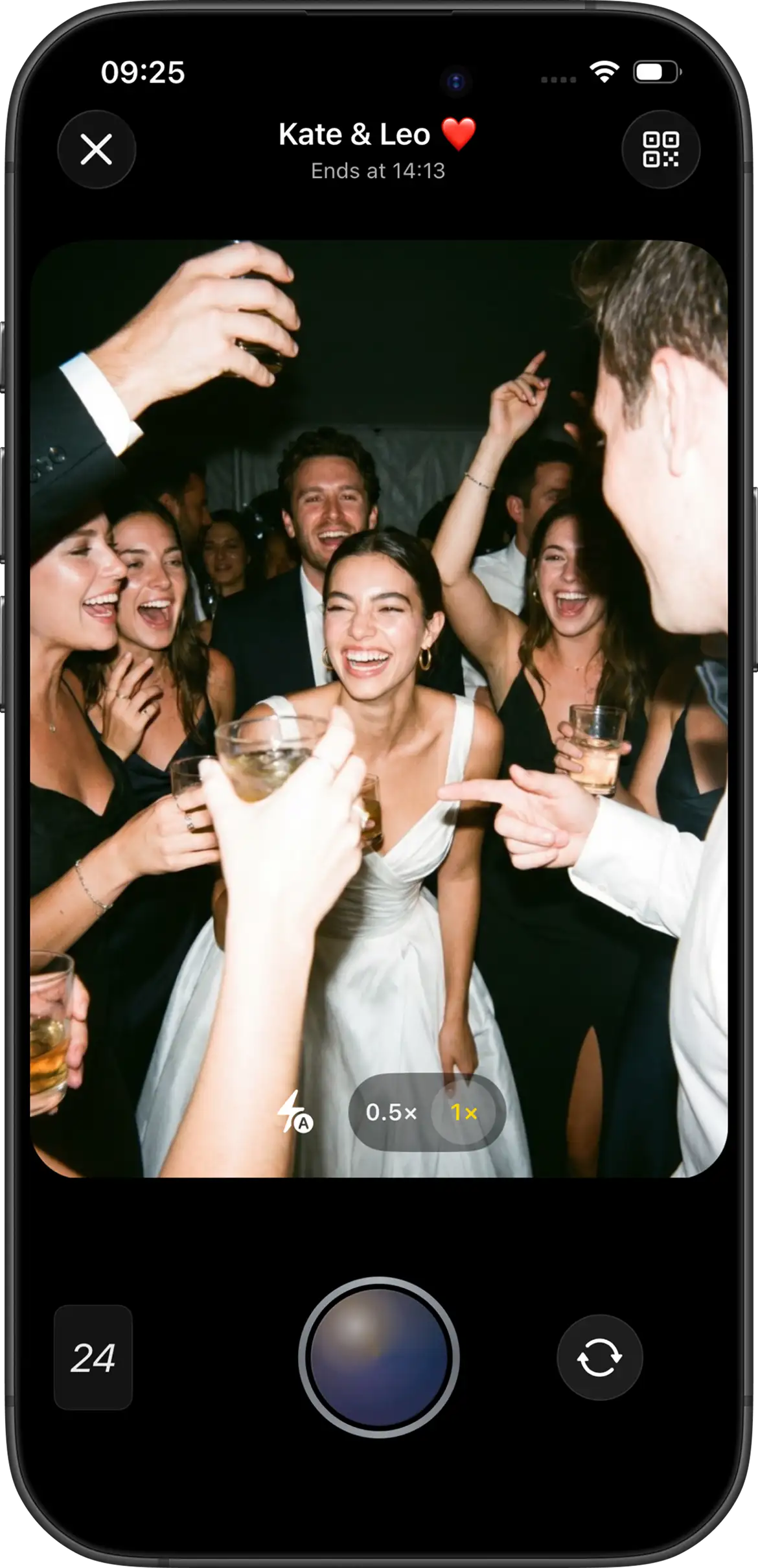
With Join Camera, the host creates one event, sets guest capacity, chooses a shot limit, picks a filter at creation (Vintage or Black & White), and decides whether the gallery uses instant reveal or delayed reveal. Guests can always take shots without an account. iPhone guests can join from a QR code or invitation link through the App Clip without installing the full app first. Android guests join from the same QR code or invitation link through the Join Camera app. Offline capture is supported, and video is not supported yet.
That combination is what removes the after-wedding chase. The photos are already going to the right place when the moments happen.
Set it up in five steps
Step 1
Create one shared “film” before the wedding
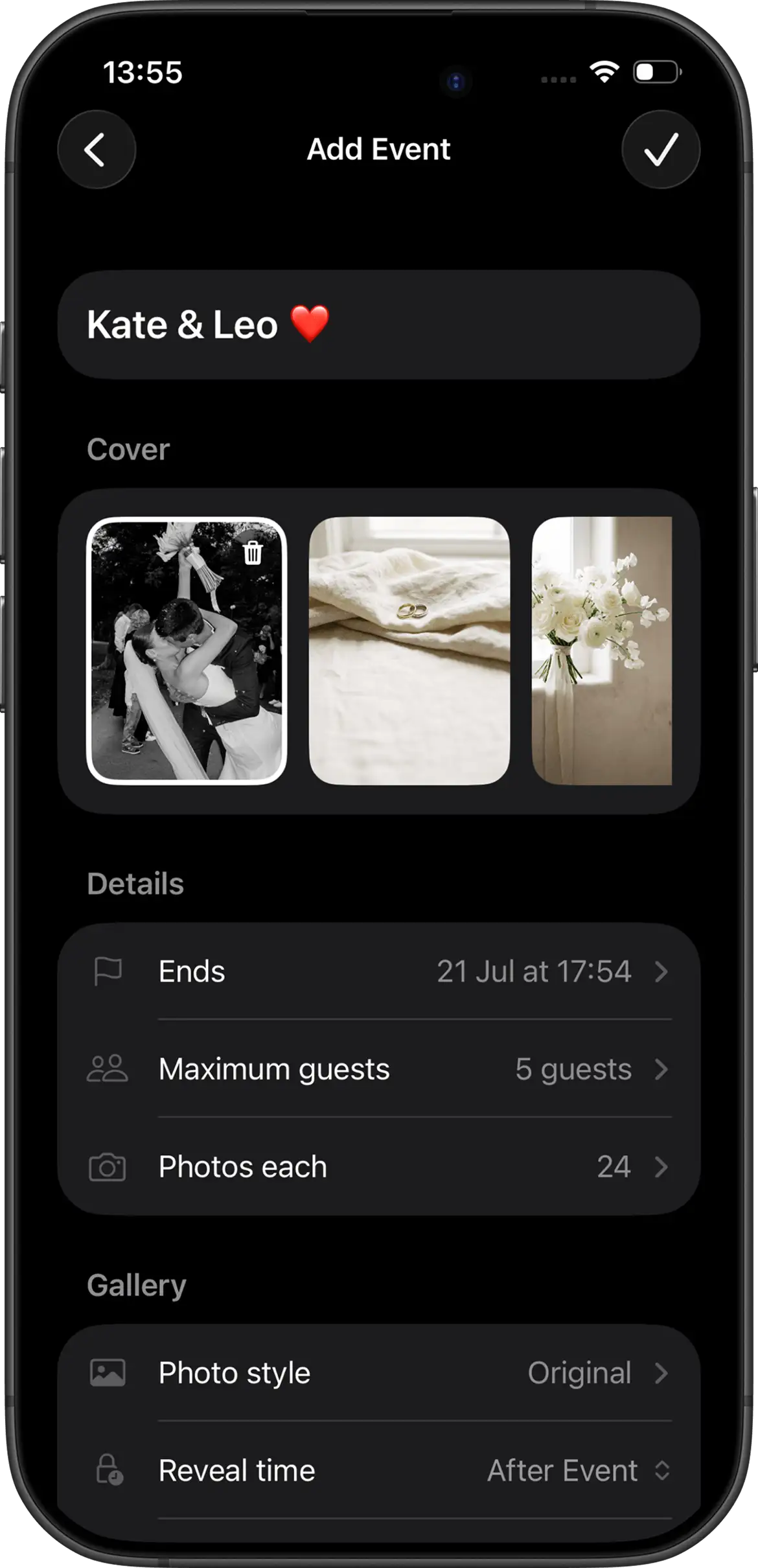
Create a single event before invitations go out so every guest photo has one destination from the start. This is where the host decides how constrained or open the experience should feel.
- Guest capacity close to who will actually shoot
- Shots per guest (hosts can configure the limit)
- Instant reveal or delayed reveal after the event
- Filter choice at creation: Vintage or Black & White
The best habit is to test with a smaller group first. Join Camera's free tier supports up to 5 guests with up to 24 shots per guest, which is enough for a rehearsal dinner test or a family walkthrough. That is the easiest way to find out whether your shot limit feels too tight, too loose, or exactly right.
Step 2
Place the invitation where guests naturally pause
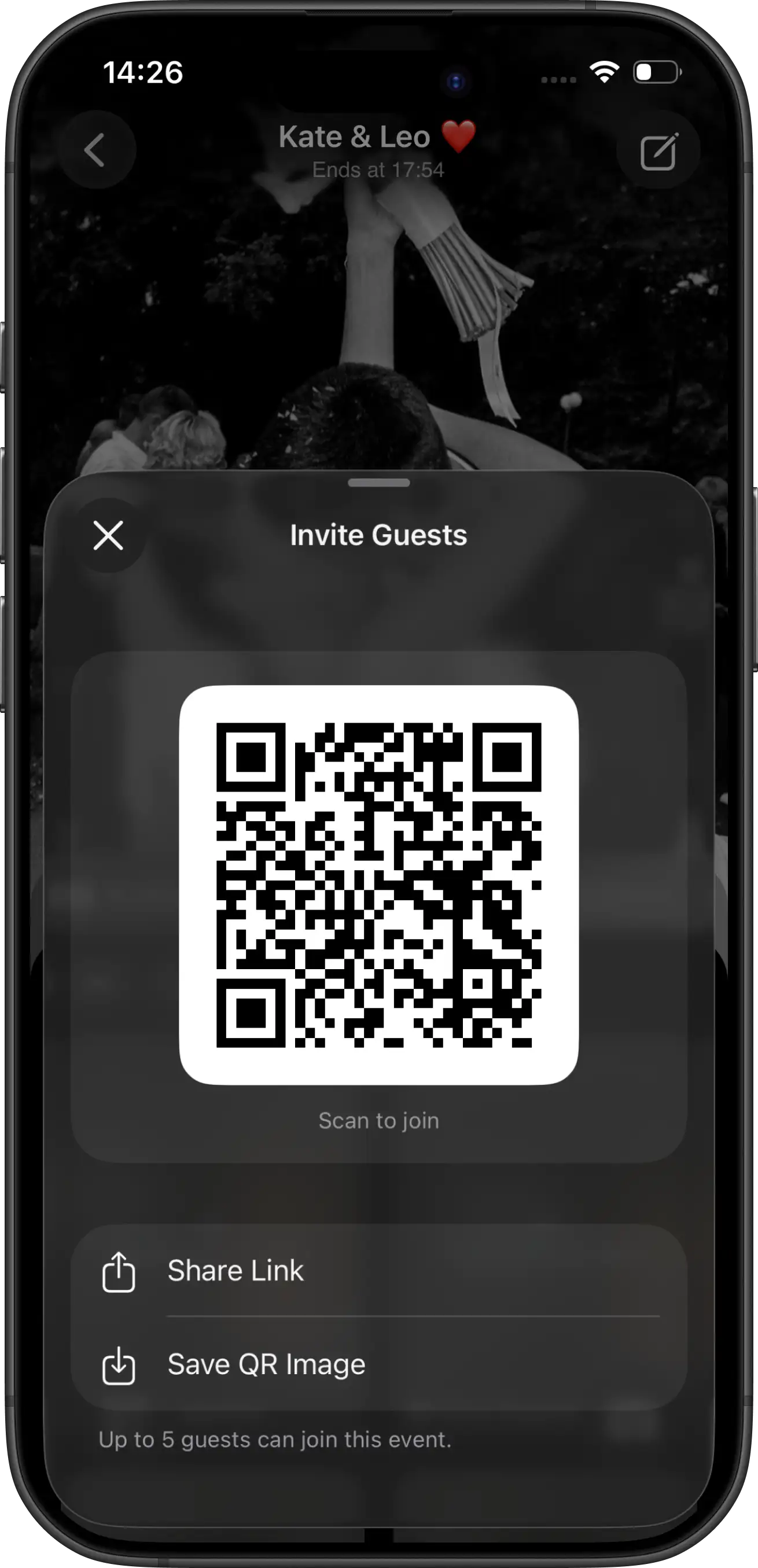
One large sign at the entrance is usually not enough. Guests are still arriving, greeting people, or trying to find their table. A better rule is repetition without clutter: place the same invite in the locations where people are already standing still with their phones in hand.
- Welcome or check-in table
- Guest book station
- Reception tables
- Bar or cocktail area
- Wedding website or digital invite as a backup link
The easier it is to encounter the QR code twice, the higher the participation rate. Most couples under-place signage and then assume guests were not interested, when the real issue is that the invitation appeared once and disappeared into the background.
Step 3
Give guests one short, accurate instruction
Guests do not need a feature tour. They need one clear instruction and one reason to care. Good wedding signage tells them what to do and what makes this different from a normal shared album.
- "Scan to take your shots. Photos unlock together after the wedding."
- "Capture our day from your point of view — limited shots, one shared reveal."
- "iPhone: scan to open the camera. Android: join from the same invite in the Join Camera app."
Accuracy matters here. Overpromising a no-download flow on every device creates confusion for Android guests. Under-explaining the reveal timing makes people think the gallery failed. The wording should be short, but it still needs to be true.
Step 4
Choose reveal timing on purpose
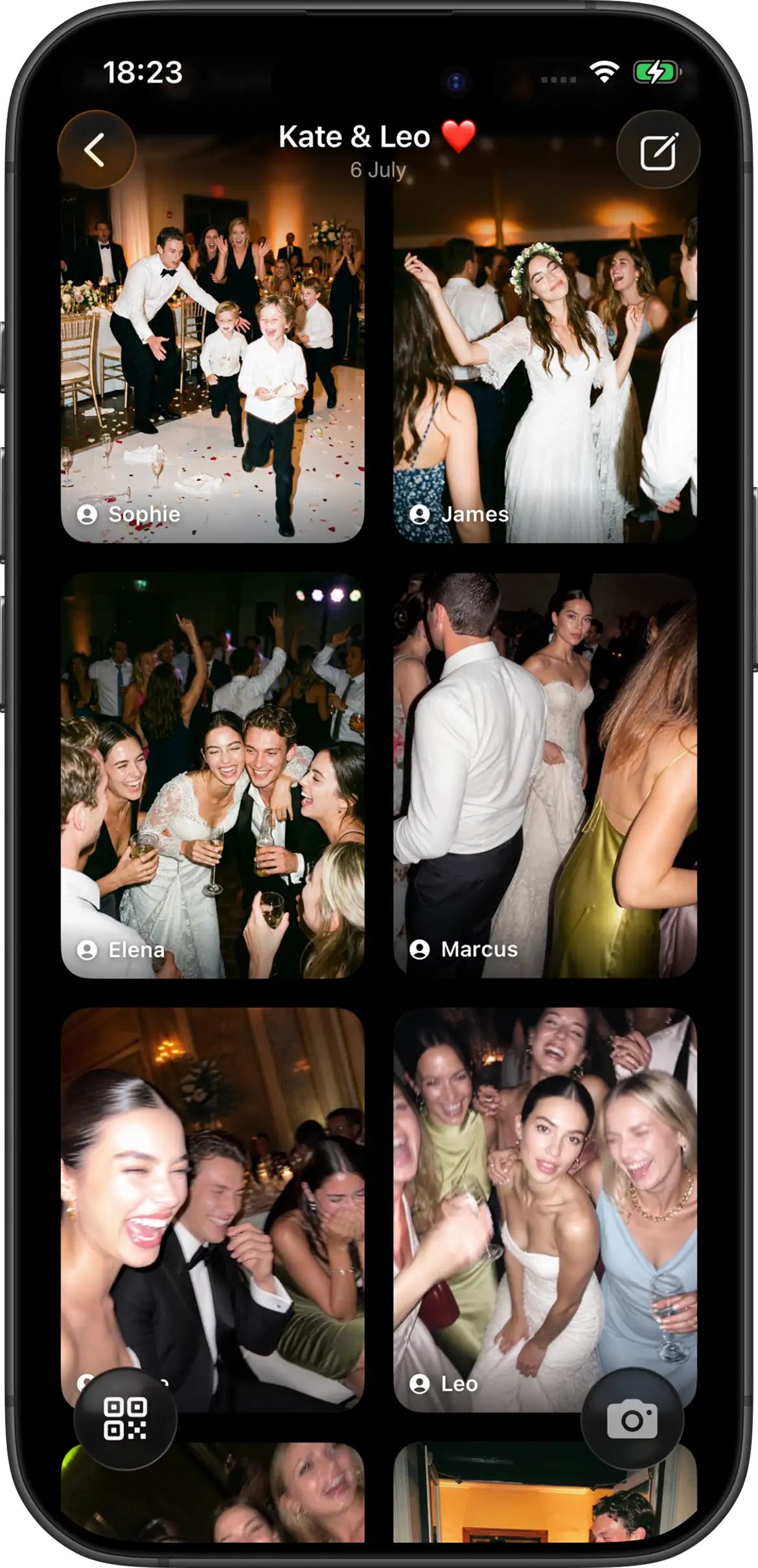
Reveal timing changes the social feel of the gallery. Instant reveal lets participants see photos immediately after they are taken. That can work for lively receptions where the gallery is part of the night's energy.
Delayed reveal creates a different experience. Photos stay hidden until after the event, optionally after an additional host- selected delay. That feels closer to a disposable camera because the reward comes later. It also helps keep the emphasis on taking the photo instead of reviewing every photo during the wedding.
Whatever you choose, tell guests up front. A hidden gallery is fun when it is expected and confusing when it is not.
Step 5
After the wedding, share the revealed gallery once
The goal after the event is simplicity. Once the gallery has been revealed, share one destination instead of restarting the request cycle. At that point, you are not asking guests to contribute from scratch. You are simply giving them the finished gallery.
Hosts can delete photos they do not want in the final set. Join Camera does not currently offer a separate moderation workflow, so this is a host-side cleanup step rather than an approval queue. Downloads are limited to signed-in users after photos have been revealed, which is an important expectation to set if guests ask whether they can save images immediately.
How to get more guests to actually participate
The tool matters, but setup habits matter too. A good camera flow can still underperform if guests never notice it or if only a few people understand how it works.
- Start with the wedding party. If your bridesmaids, groomsmen, siblings, or close friends join first, everyone else learns by watching them.
- Mention it once over audio. A short DJ or MC announcement during dinner or before the dance floor opens creates a second wave of participation without feeling pushy.
- Make the purpose feel fun, not administrative. "Take your shots" performs better than "upload your files." The first sounds like part of the wedding. The second sounds like paperwork.
- Expect weak connectivity and test anyway. Venue internet is unreliable often enough that it should never be a surprise. Test with a second phone and confirm the flow before the wedding day.
When a shared album is enough — and when it is not
Not every wedding needs the same solution. If you are hosting a very small gathering and only need a place for a few family members to upload photos later, a simple shared album may be enough.
But if you want a high participation rate, a cohesive set of candid shots, and a cleaner experience across mixed groups of guests, a shared event camera is usually the better fit. It gives the wedding a single photo ritual instead of hoping people remember a task after the party.
That distinction matters because many couples compare tools by storage features alone. The real decision is not "where can photos live?" It is "what will cause more guests to actually take part?"
Pre-wedding checklist
- Create the event and set guest limits, shot limits, and reveal.
- Test the QR invitation from a second phone.
- Confirm iPhone App Clip and Android join paths.
- Print signs with short wording and a backup link.
- Place the invite in more than one physical location.
- Ask the DJ or MC to mention the camera once during dinner.
- After reveal, share the gallery link once with guests.
Create your wedding camera


Questions? Contact us.
Frequently asked questions
What is the easiest way to collect wedding photos from guests?
The easiest approach is to create one shared event camera before the wedding, then place one QR invitation in the places where guests naturally stop during the day. That moves the behavior from 'please upload later' to 'take the photo here, right now.' In practice, that matters more than any gallery feature. If people have to remember an extra upload task after the wedding, participation drops fast.
Do guests need an account to take photos?
No. With Join Camera, guests can always take shots without creating or signing into an account. That removes one of the biggest causes of drop-off, especially for older relatives or guests who do not want to set up anything at a wedding. The important limit to understand is after the event: only signed-in users can download photos, and only after the photos have been revealed.
Do guests need to download an app?
On iPhone, guests can join from the QR code or invitation link through the Join Camera App Clip without installing the full app first. On Android, guests join from the same QR code or invitation link in the Join Camera app. That means the host should test both paths ahead of time and make the wording on signs accurate so guests know what to expect.
Should photos unlock during the wedding or after?
That depends on the kind of energy you want. Instant reveal is better when you want guests to see the gallery grow in real time, for example at a party-forward reception. Delayed reveal is better when you want the digital disposable-camera feeling: guests take the photos now, but the gallery becomes available after the event, optionally after an additional host-selected delay. For most weddings, delayed reveal is the more distinctive choice because it keeps the focus on being present and creates a shared payoff later.
What if venue Wi-Fi is weak?
Weak venue Wi-Fi is common, so this should be planned for rather than treated as an edge case. Join Camera supports offline capture, which means guests can keep taking their assigned shots even when connectivity drops. That matters because the highest-friction moment is when someone tries once, sees a loading issue, and gives up. Offline capture keeps the activity moving instead of making the guest troubleshoot reception hall internet.
Is there a free option to test before the wedding?
Yes. Join Camera's free tier supports up to 5 guests and up to 24 shots per guest, which is enough to run a realistic rehearsal test with your wedding party or family. That is the best way to confirm the QR wording, the iPhone App Clip path, the Android path, and whether you prefer instant reveal or delayed reveal before the actual wedding day.
Related: get guests to take photos · shared album vs event app · wedding QR code photo sharing · wedding sign wording · best wedding photo sharing apps · Join Camera for weddings