
Your day,
captured by everyone.
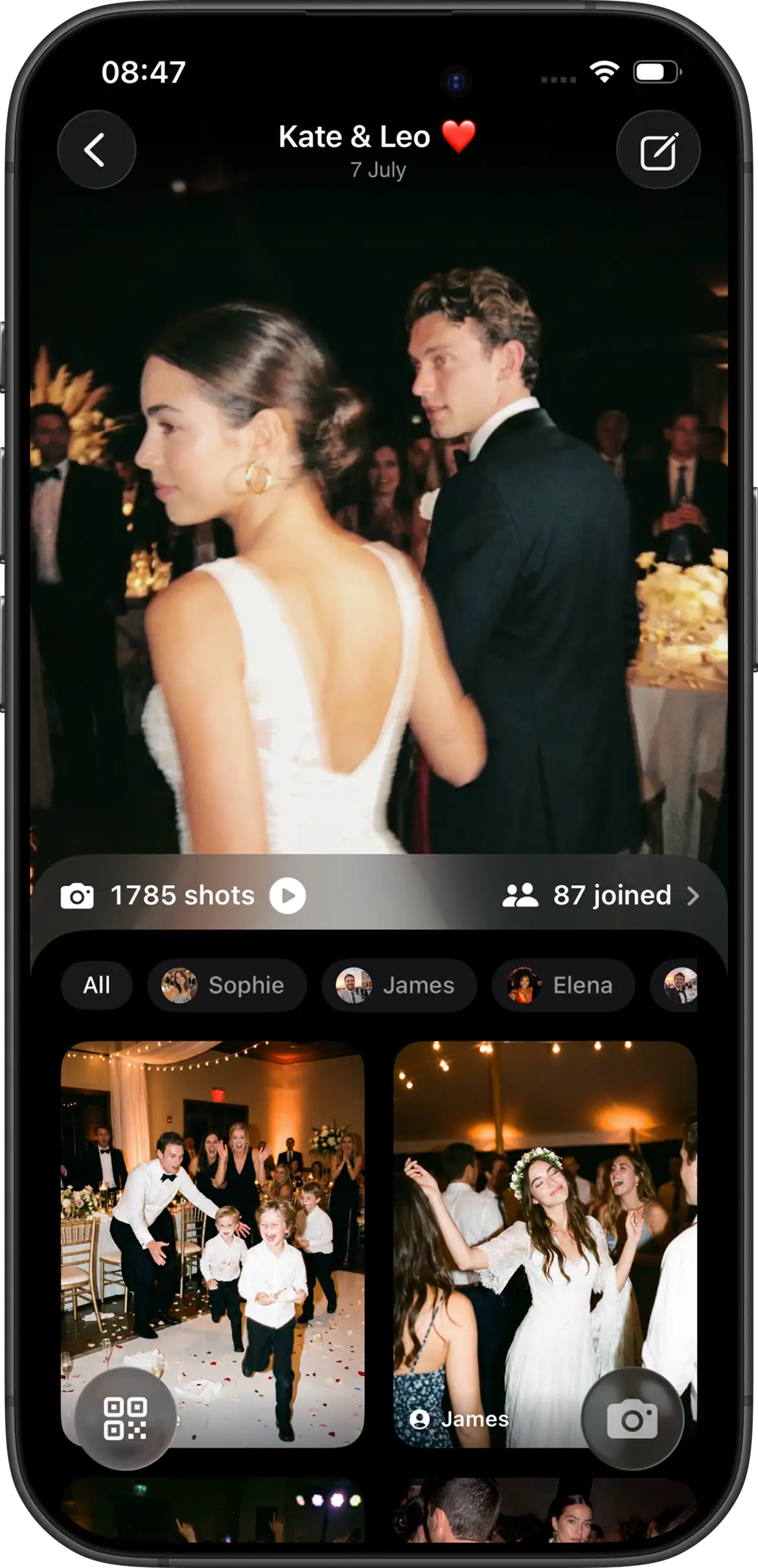
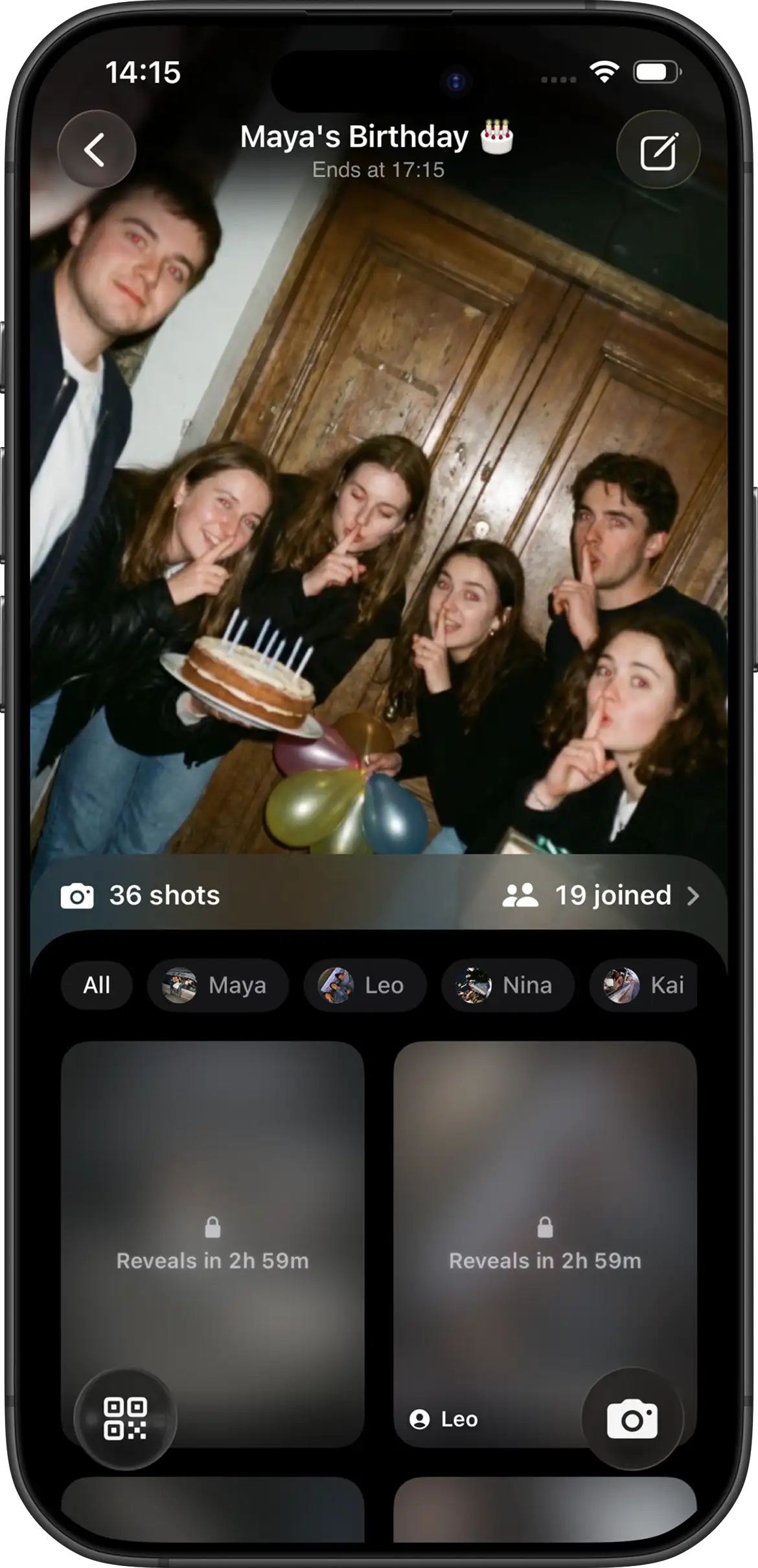
Join.Camera turns every guest into a photographer. Guests join with a QR code, capture the moments you miss, and create a shared album of your event from every perspective.


From invite to memories
Three simple steps. One unforgettable story captured by everyone.
01
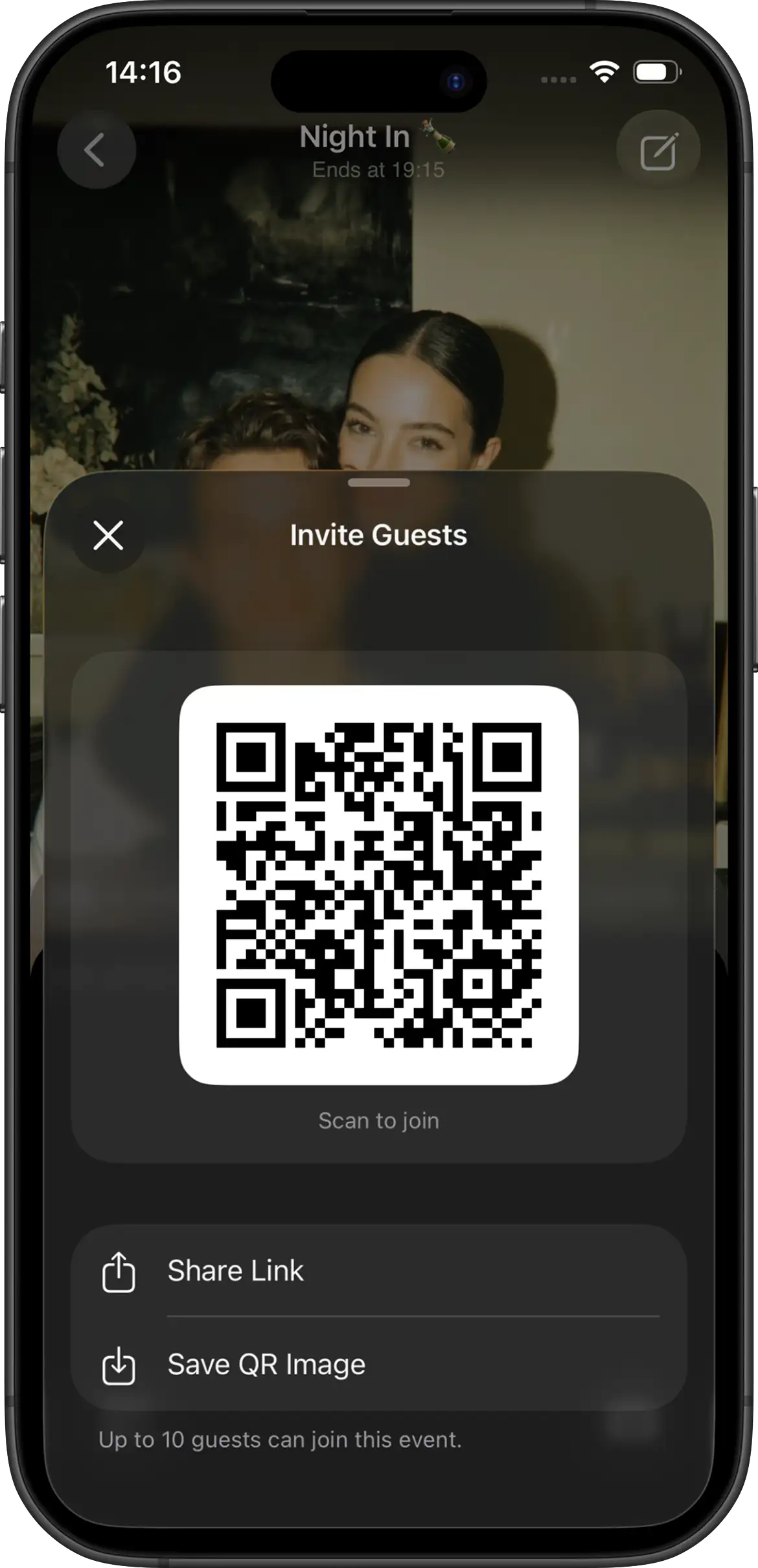
Invite everyone
Share your event with a QR code or invite link. Guests join instantly — no account, no downloads.
02
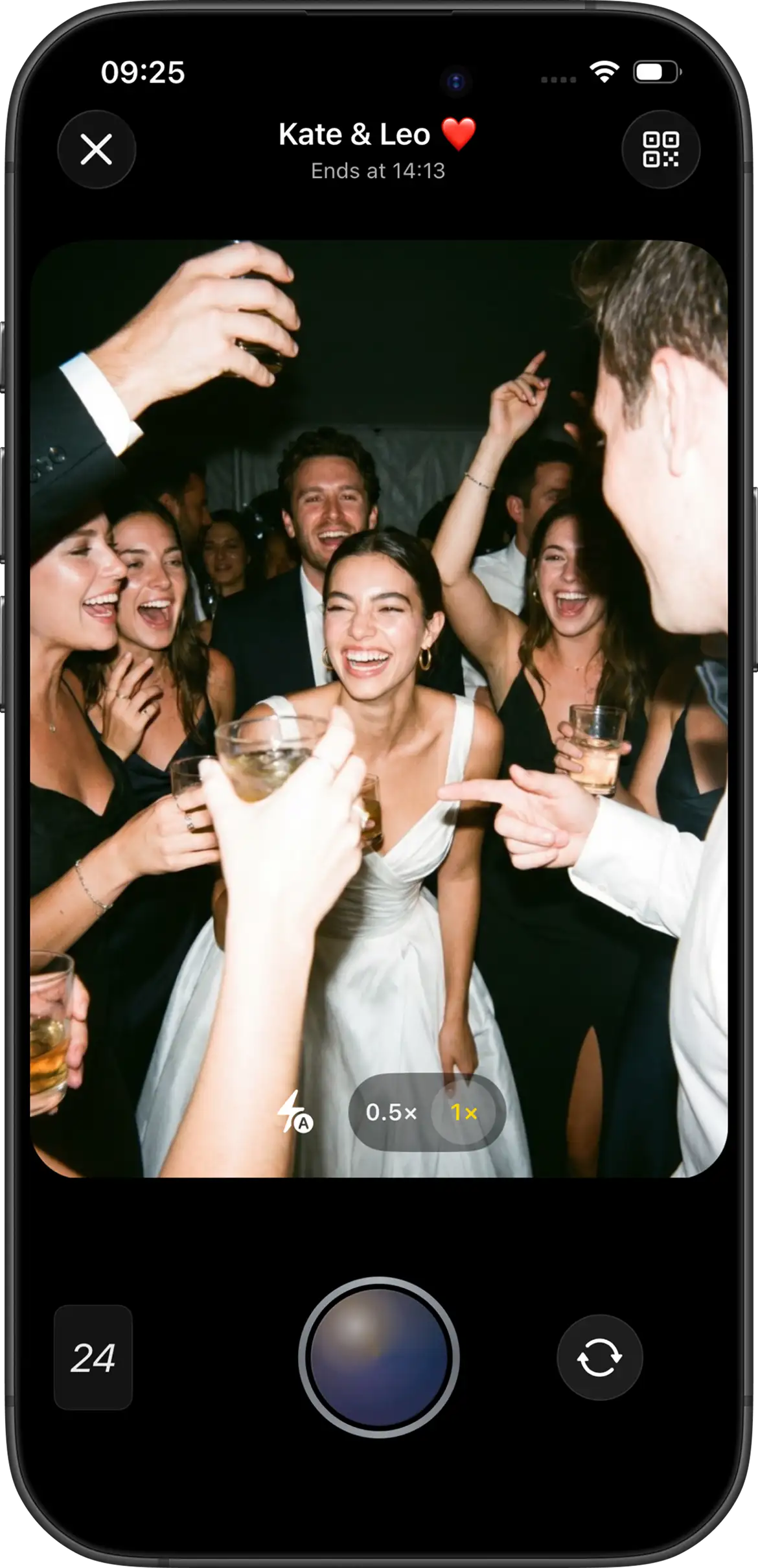
Everyone captures
Guests use their phone as a disposable camera and capture the moments you didn't see.
03
Relive together
Reveal the album when you choose and discover the full story of your event.
Every moment worth capturing
Weddings, birthdays, trips, and celebrations — bring everyone together to capture the memories you’ll want to relive.
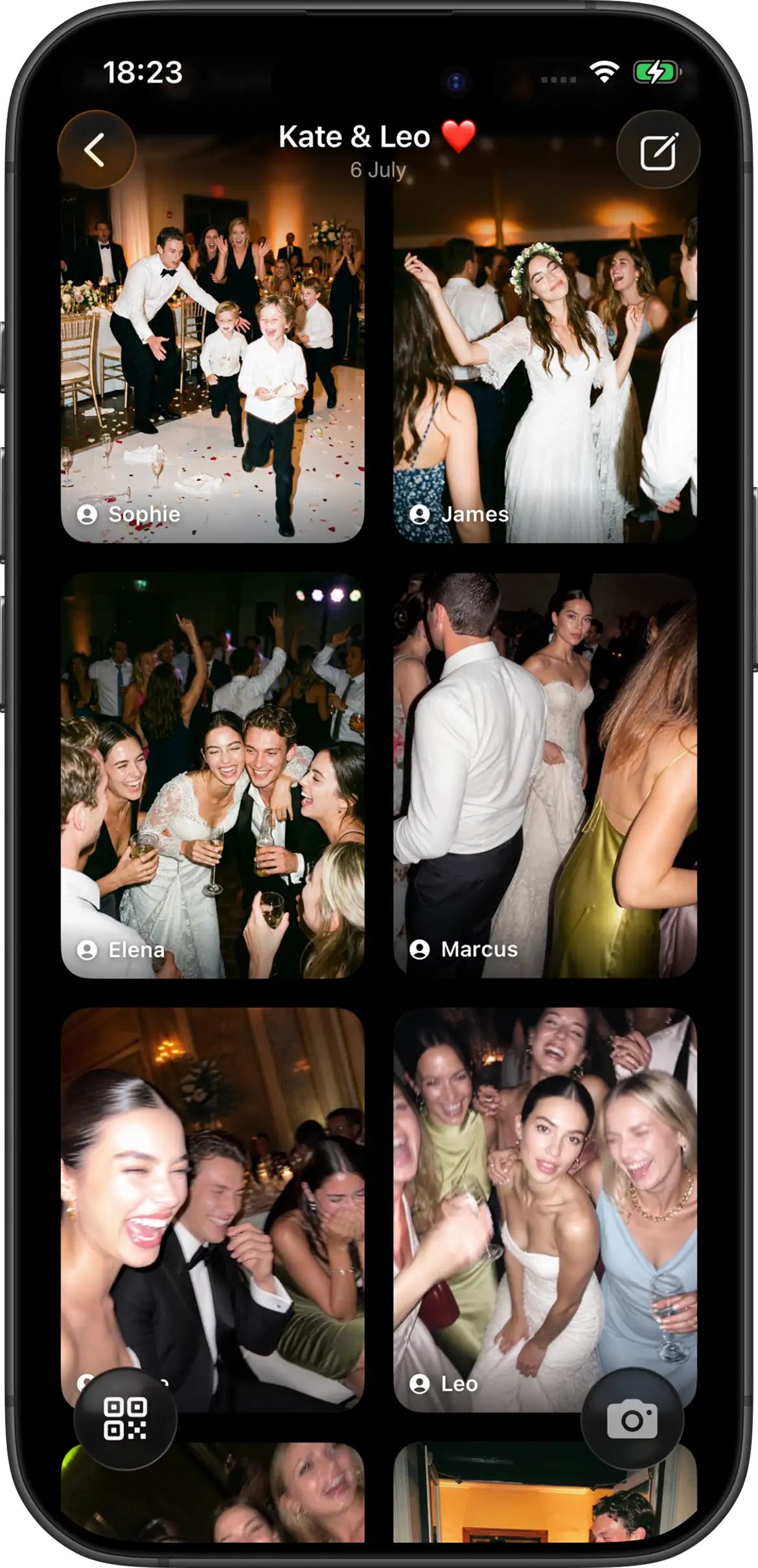
Your wedding, captured by everyone you love
Your photographer captures the big moments. Your guests capture everything in between — the laughs, tears, surprises, and memories you never knew happened.
- Easy for every guest — Join with a QR code and start capturing instantly.
- A story told from every perspective — Collect the moments that happen while you're busy living them.
- Relive your day together — Reveal your shared album and experience your wedding all over again.
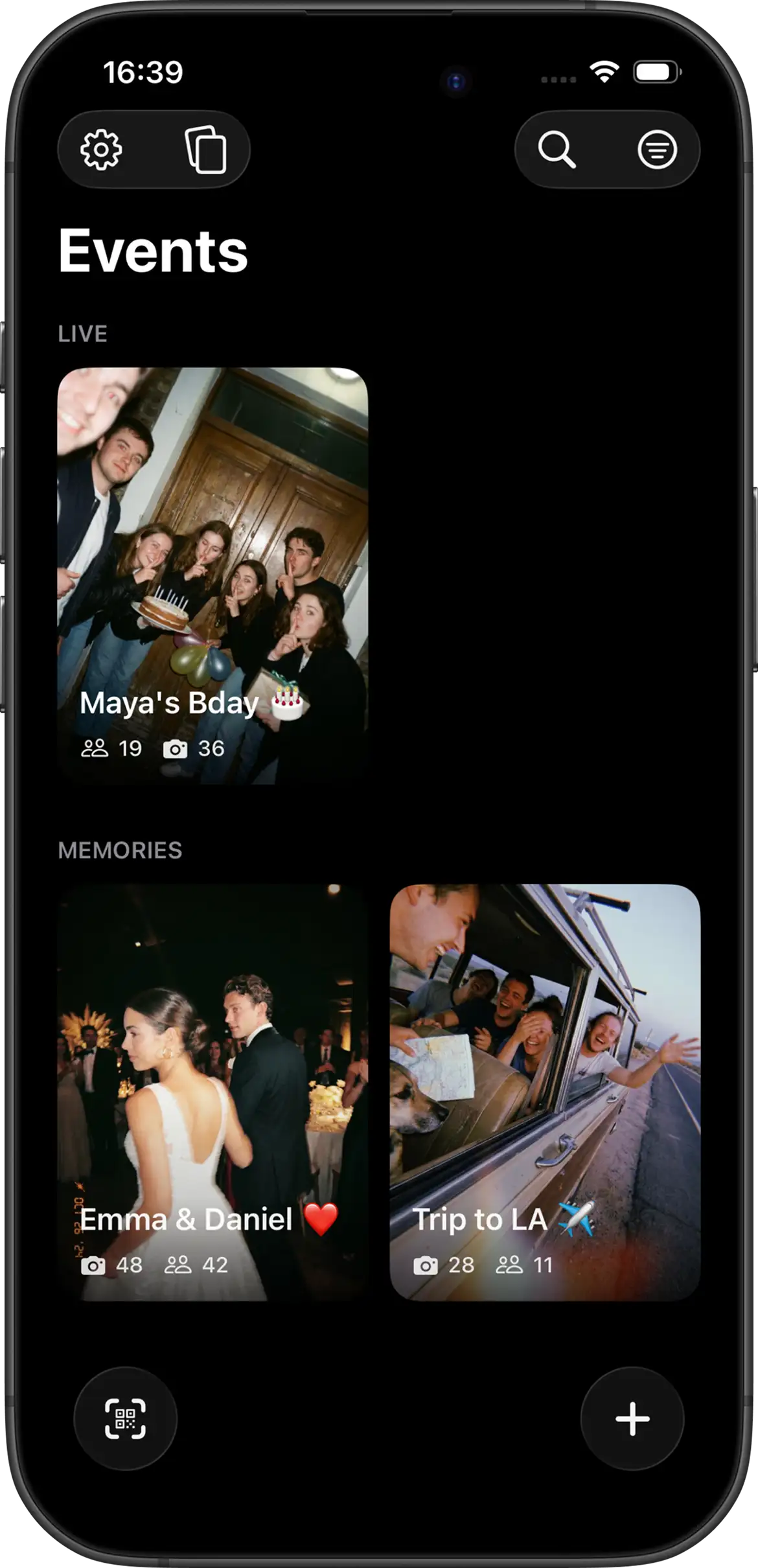
Your Events. Your Memories.
Every celebration deserves a place to live. Keep your active events, shared albums, and unforgettable moments together — ready to revisit anytime.
- Live Events — Celebrations happening now, with guests still capturing new moments.
- Memories — Completed stories you can return to whenever you want.
- One place for every moment worth remembering.
Frequently asked questions
Do guests need to download an app?
Guests can always take shots without creating or signing into an account. On iPhone, they can join from your QR code or invite link through the App Clip without installing the full app first. On Android, guests join from the same QR code or invite link in the Join Camera app.
How do guests join an event?
Share the event QR code or invite link. Guests scan or tap it, enter the event, and start shooting. No guest account is required to capture photos.
Can I limit how many photos each guest takes?
Yes. You set the shot limit when you create the event. Limits keep the album curated and recreate the disposable-camera feeling — guests choose their moments instead of filling a camera roll.
When do photos become visible?
You choose instant or delayed reveal. With instant reveal, guests see photos right after they are taken. With delayed reveal, photos stay hidden until the event ends — and you can add an extra delay on top if you want the surprise to land later.
Does Join Camera work without internet?
Yes. Offline capture is supported. Guests can keep shooting when the connection drops; photos sync when they are back online.
Can guests download photos?
Only signed-in users can download photos, and only after the photos have been revealed. Guests who stay in the App Clip or shoot without an account can view the shared album once it unlocks.
Can I delete photos before guests see them?
Yes. Hosts can delete photos. Join Camera does not currently offer a separate moderation workflow — you review and remove shots directly from the event album.
Is Join Camera free?
Yes. The free tier supports up to 5 guests and up to 24 shots per guest — enough to try it at a small gathering. Larger events and add-ons are available as in-app purchases.
Start free
Up to 5 guests and 24 shots per guest — enough to try it at your next gathering. Upgrade in the app when you need more room.