
Wedding QR signage
Disposable camera app wedding sign: wording and placement
A wedding QR sign has one job: help guests understand what to do in a few seconds. The best signs do not explain your whole product story. They invite people into a shared camera experience, make the next action obvious, and remove the most common reasons guests hesitate.
That matters because disposable camera apps live or die on participation. If the sign is vague, too small, or only placed once at the entrance, guests may notice the idea and never act on it. If the wording is clear and the placement is repeated where people pause, the same QR can collect candids from tables, the bar, and the dance floor all night.
This guide covers the wording that works, what belongs beside the QR code, where to place signs, how to design for real venue lighting, and how to test before you print a full set.
What a good wedding camera sign actually needs to do
Guests are not reading marketing copy at a reception. They are greeting people, finding seats, finishing drinks, and deciding whether scanning this code is worth interrupting the moment. A strong sign answers three questions immediately:
- What am I joining? A shared wedding camera, not a random upload form.
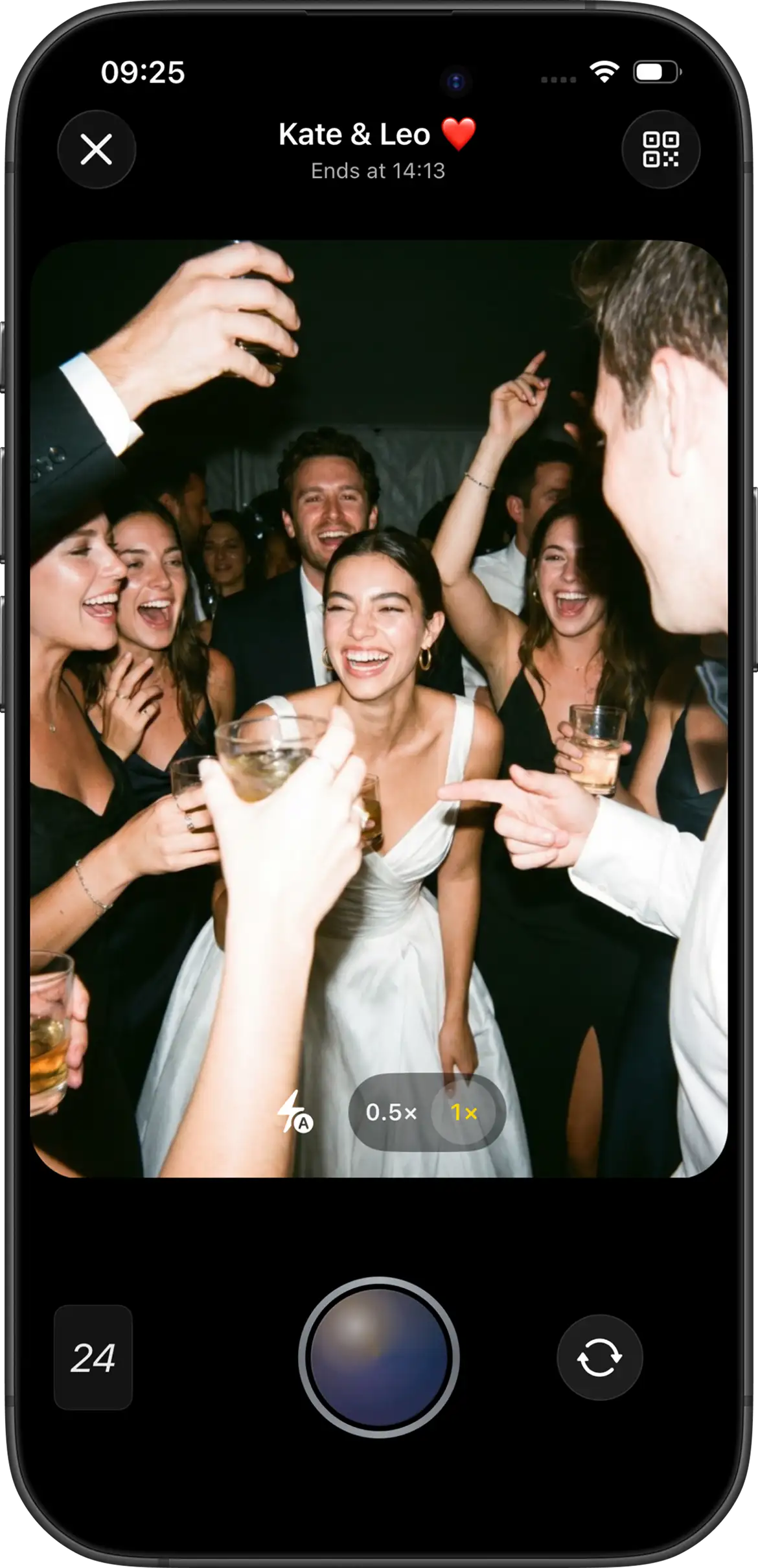
- What should I do now? Scan and take shots during the wedding.
- What happens after I shoot? Instant gallery or delayed reveal after the event.
If the sign fails any of those three, participation drops. Vague lines like “share your photos” leave guests unsure whether they should shoot now or upload later. Overly technical lines create the opposite problem: the sign feels like a product tutorial instead of a wedding invitation.
What should the wedding sign say?
Use language about the experience, not the tech stack. Guests respond better to a short ritual than to feature language. These Join Camera examples stay accurate while keeping the invitation clear:
- “Capture our wedding from your point of view. Scan, take your shots, and come back for the reveal.”
- “Your phone is a disposable camera tonight. Limited shots. One shared reveal after the wedding.”
- “Scan to join our wedding camera. Photos unlock together after the event.”
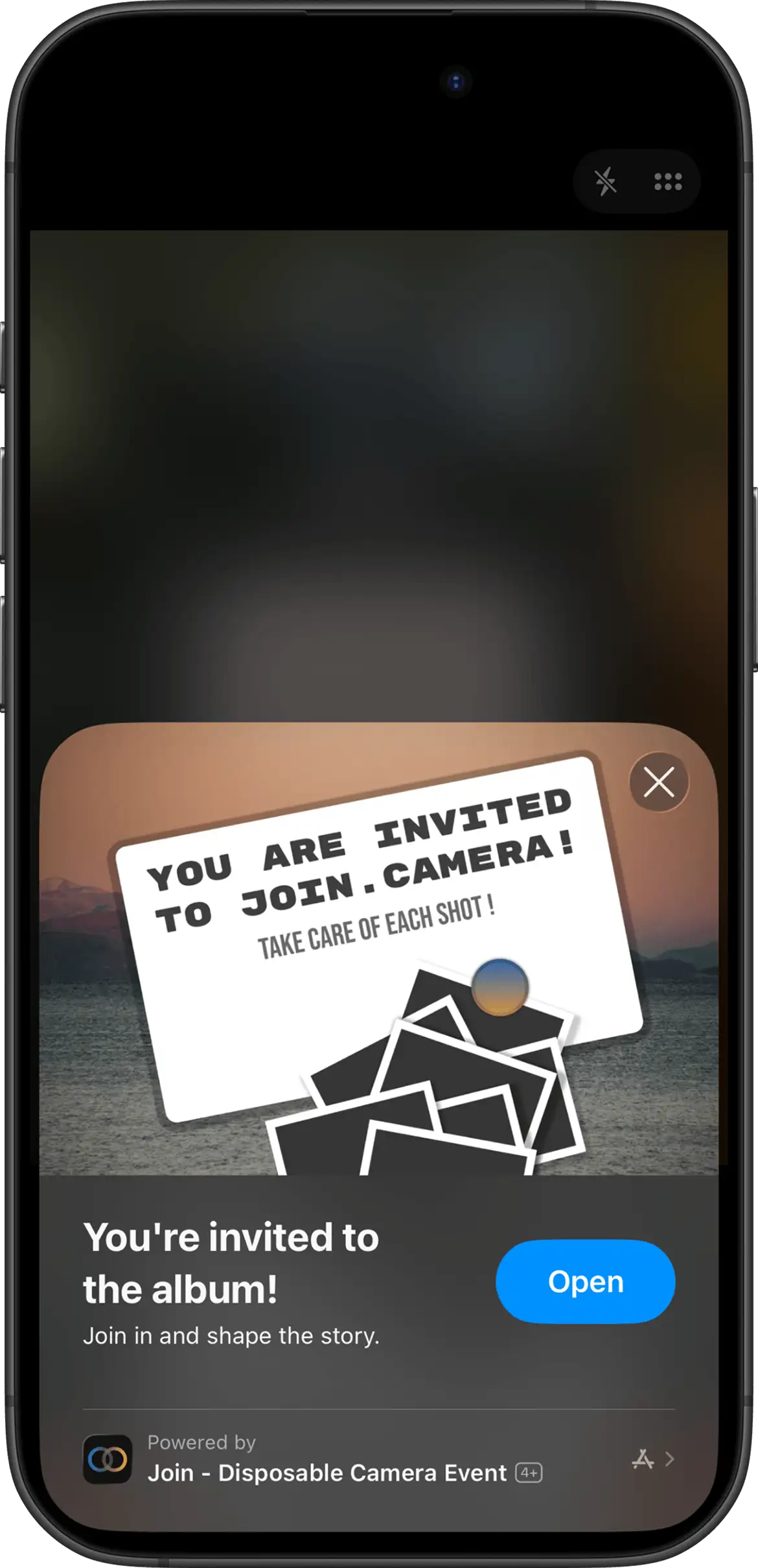
- “iPhone: open via App Clip. Android: join in the Join Camera app from this QR.”
The first three lines sell the ritual. The fourth line prevents confusion for mixed guest lists. That platform note is especially useful when older relatives and younger friends will both be scanning from different phones.
If you use delayed reveal, say so. A hidden gallery is exciting when guests expect it and confusing when they do not.
What information belongs beside the QR code?
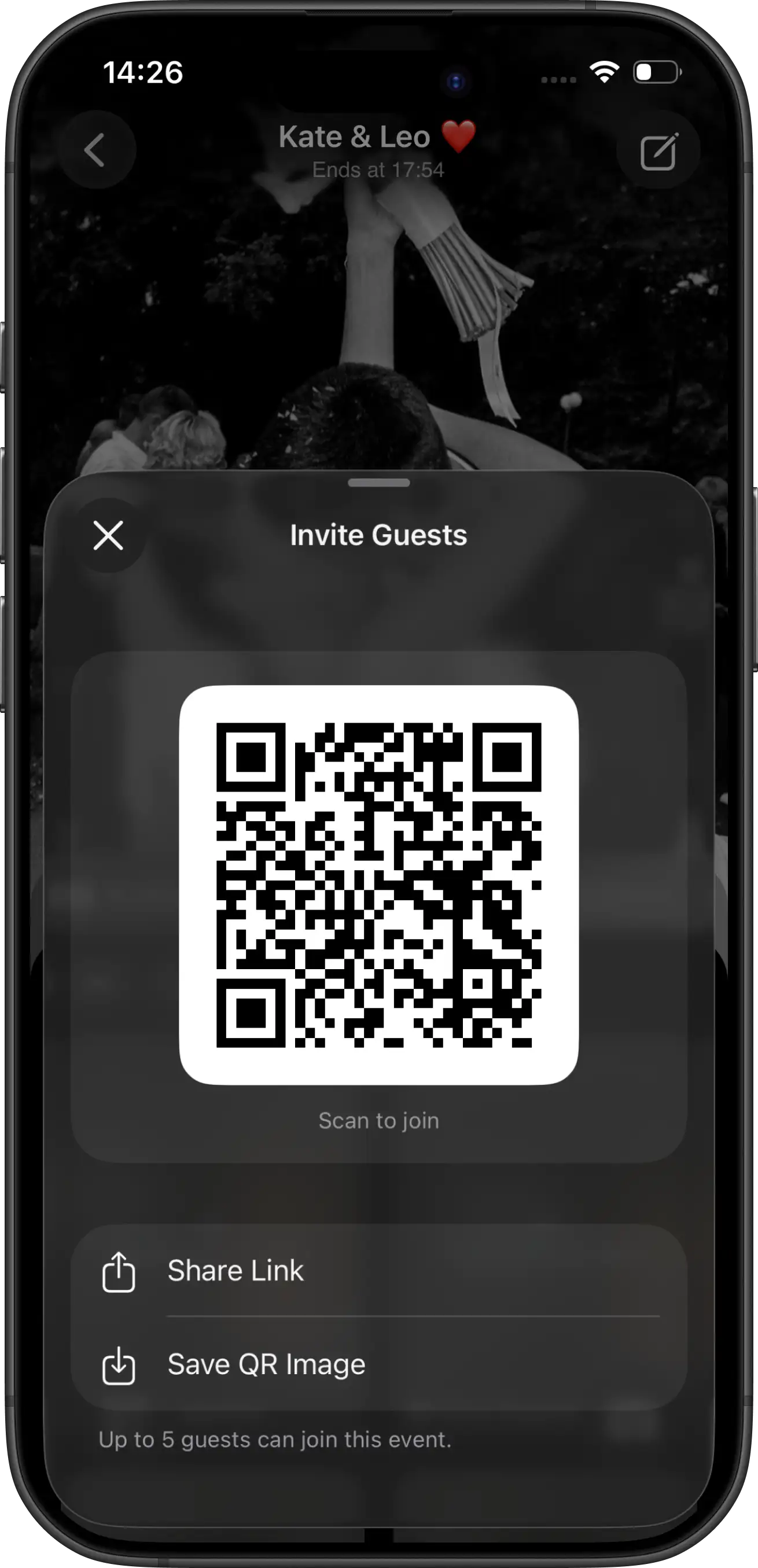
The QR code is the doorway. The text around it is the instruction manual. Keep both visible without overcrowding the card.
- The couple or event name
- A clear “scan to join” instruction
- The number of shots each guest receives, if you set a limit
- Whether photos reveal instantly or after the event
- A short invitation link as a backup
- A mixed-platform note when Android guests will attend
That backup link matters more than people expect. Dim lighting, textured cardstock, and phone camera quirks can all make scanning slower. A short URL underneath gives guests a second path without needing help from the couple.
Where should you place wedding QR signs?
Do not rely on one sign at the entrance. Arrival is busy, emotional, and full of distractions. Guests may notice the code and still never come back to it. The better strategy is repetition in places where people pause with phones nearby.
Reception table cards
Usually the highest-leverage placement. Guests are seated, talking, and looking around the table. That is when scanning feels natural. If you can only invest in one print format, start here.
Welcome display
Useful as the first introduction. It tells guests the shared camera exists, but it should not be the only touchpoint. Treat it as awareness, not the full strategy.
Guestbook and bar
Strong second-wave placements. People wait in these spots, which creates scanning time. A small sign here often captures guests who missed the table card or arrived late.
Wedding website or digital invite
Useful as a backup for guests who want to join before the reception starts, or for anyone who prefers a link over a print scan. It also helps the wedding party test early.
For a broader placement strategy beyond signage itself, see wedding QR code photo sharing.
Design tips that improve scans
Beautiful stationery and scannable stationery are not always the same thing. Design choices that look elegant in a flat-lay photo can fail under real reception lighting.
- Keep high contrast between the QR and background
- Leave quiet space around the code so cameras can lock on
- Make table-card codes large enough to scan from a seat
- Avoid glossy laminate glare under venue lights
- Put the most important sentence above the fold of the card
- Prefer short wording over decorative paragraphs
If your wedding branding is soft, muted, or low-contrast, keep the QR zone cleaner and higher-contrast than the rest of the suite. The invitation can still look on-brand while the code remains readable.
Common wording mistakes
“Share your photos with us”
Too vague. Guests do not know whether they should shoot now, upload later, or send texts after the wedding.
Overselling a universal no-download flow
Accuracy matters. On Join Camera, iPhone guests can use the App Clip, while Android guests join in the Join Camera app. Clear wording prevents mid-reception confusion.
Hiding the reveal timing
If photos stay locked until after the event and the sign never says so, some guests assume the gallery failed.
Filling the card with too much copy
A wedding sign is not a FAQ page. One clear invitation, one action, and one expectation usually perform better than a long explanation.
How do you test the sign before printing?
Test the real object, not only the digital file. A QR that works in bright office light can behave differently on textured paper under warm reception bulbs.
- Create the event with final shot limit and reveal settings.
- Print one copy at its intended size.
- Scan it from a comfortable standing or seated distance.
- Open the event and take a test shot.
- Confirm the shot limit and reveal message are correct.
- Test an iPhone path and an Android path if both will attend.
- Ask one other person if they understand the sign instantly.
- Keep enough blank space around the QR code.
The free tier is useful here. Join Camera supports up to 5 guests with up to 24 shots each, which is enough to run a realistic wedding-party test before the real print order.
Day-of reminders that help
Signage does most of the work, but one short verbal reminder can create a second wave of scans. Ask the DJ or MC for a brief mention during dinner: guests should scan the table card and take their shots. Keep it light. The goal is permission, not pressure.
Pair the printed signs with the same message on the wedding website so early arrivals and wedding-party members can join before the reception starts. After the gallery is revealed, share it once. Signed-in users can download photos after they unlock. Hosts can delete shots they do not want kept. Join Camera does not currently offer a separate moderation workflow beyond host deletion.
A simple wedding sign formula that works
If you want a reliable structure, use this order on the card:
- Couple or event name
- One-line invitation into the shared camera
- QR code with quiet space around it
- Reveal timing and shot limit in one short sentence
- Backup link and platform note if needed
That formula keeps the card scannable, honest, and easy to act on. Once the wording is locked, spend the remaining energy on placement. The best sentence in the world still loses if guests only see it once while walking through the door.
Create your event and QR code


Questions? Contact us.
Frequently asked questions
What should a disposable camera app wedding sign say?
Keep the sign focused on one job: scan, take your shots, and understand when photos reveal. The strongest wording mentions the shared wedding camera, limited shots, and whether the gallery unlocks after the wedding. Avoid long feature lists. Guests decide in a few seconds whether the sign is worth acting on.
Should the sign mention iPhone and Android?
Yes if your guest list is mixed. On Join Camera, iPhone guests can join from a QR code or invitation link through the App Clip without installing the full app first. Android guests join from the same QR code or invitation link in the Join Camera app. Accurate platform wording prevents hesitation and support questions during the reception.
How many QR signs do we need?
More than one. Table cards plus a welcome sign and a bar or guestbook placement usually outperform a single entrance poster. Guests arrive at different times and notice signage in different moments. Repetition is what turns a nice idea into actual participation.
What belongs next to the QR code?
Couple or event name, a clear scan instruction, the shot limit if you are using one, reveal timing, and a short backup invitation link. If Android guests will attend, include a short mixed-platform note so nobody assumes every phone behaves identically.
How large should a wedding QR code be on a table card?
Large enough to scan from a seated position without leaning uncomfortably close. A code that looks fine on a laptop preview can become frustrating once printed small on textured paper under dim reception lighting. Always test one print at the final size before ordering the full set.
Related: wedding QR code photo sharing · App Clip guide · collect guest photos · Join Camera for weddings