
Comparison guide
Best wedding photo sharing apps compared (2026)
Couples searching for a wedding photo sharing app usually want the same outcome: candid guest photos in one place without weeks of chasing. The tools that promise that outcome are not all designed the same way. Some collect files after the wedding. Others turn guest phones into a shared camera during the reception.
This guide compares the main options that show up in wedding photo sharing searches, what each one is best for, and how to choose based on participation rather than storage features alone.
That distinction matters because “photo sharing” can mean two very different jobs. One job is organizing images after the wedding. The other is getting guests to create and contribute photos while the wedding is still happening. Before comparing apps, decide which job you actually need the tool to do.
Disclosure: We build Join Camera. Competitor details are summarized from public marketing and can change. Verify current features before you decide.
For competitor products such as POV, Scene, Lense, and Once, this page uses cautious category language rather than claiming exact feature parity. Their public positioning often overlaps with disposable-camera weddings, QR invites, film-inspired galleries, or timed reveal concepts, but couples should always test the current guest flow directly.
What makes a wedding photo sharing app worth using?
The best apps are not the ones with the longest feature list. They are the ones guests will actually use. Three factors matter most:
- Guest participation: Can someone join and contribute in under a minute?
- Collection timing: Does capture happen during the wedding or depend on later uploads?
- Host control: Can you set shot limits, reveal timing, and keep one shared destination?
A wedding is a difficult environment for software. Guests are moving between rooms, talking to people they have not seen in years, dealing with dim lighting, and following a timeline. If joining requires too much explanation, the app loses to the moment. The strongest tools make the desired behavior obvious from a table card or invite link.
Host control matters because it shapes the experience. Shot limits can make people choose meaningful candids instead of uploading an entire camera roll. Reveal timing can either create live energy or preserve a disposable-camera surprise. A single destination keeps the couple from sorting through scattered texts, DMs, and album links later.
Quick comparison
| Option | Best for | Main trade-off |
|---|---|---|
| Join Camera | Limited shots, delayed reveal, offline capture | Android guests join via the Join Camera app |
| POV / Scene / Lense / Once | Established disposable-camera wedding flows | Feature details vary; test guest join carefully |
| QR upload galleries | Collecting existing camera-roll photos | Weaker disposable-camera ritual unless limits are added |
| Google Photos / iCloud | Free familiar archives for small groups | Passive uploads and ecosystem friction |
Use this table as a starting point, not a final verdict. Wedding photo tools change quickly, and small details can decide whether guests participate. The most important comparison happens on real phones with real people: scan the QR, join the event, take a shot, and see where someone gets stuck.
1. Join Camera: best for host-controlled disposable-camera events
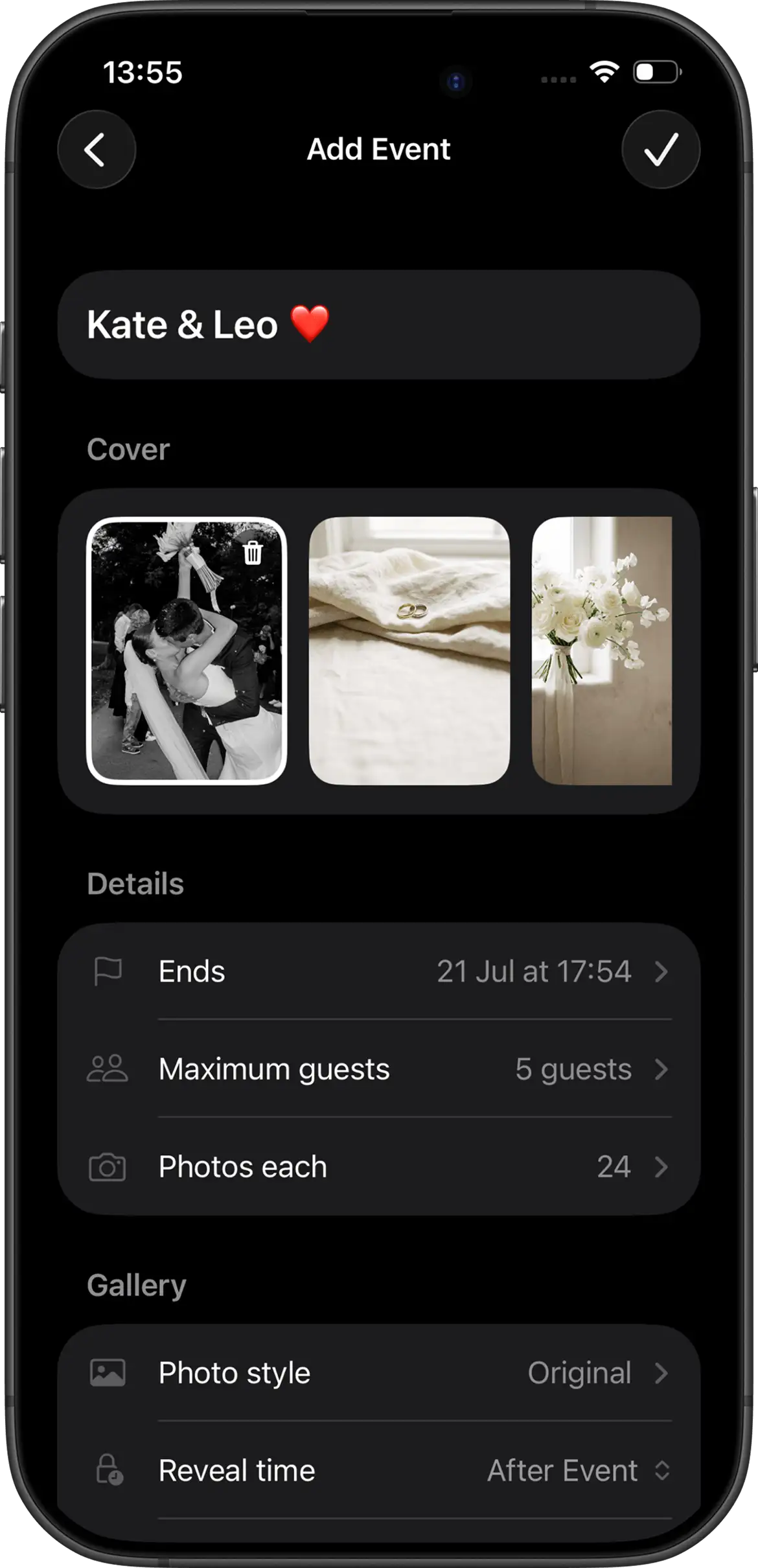
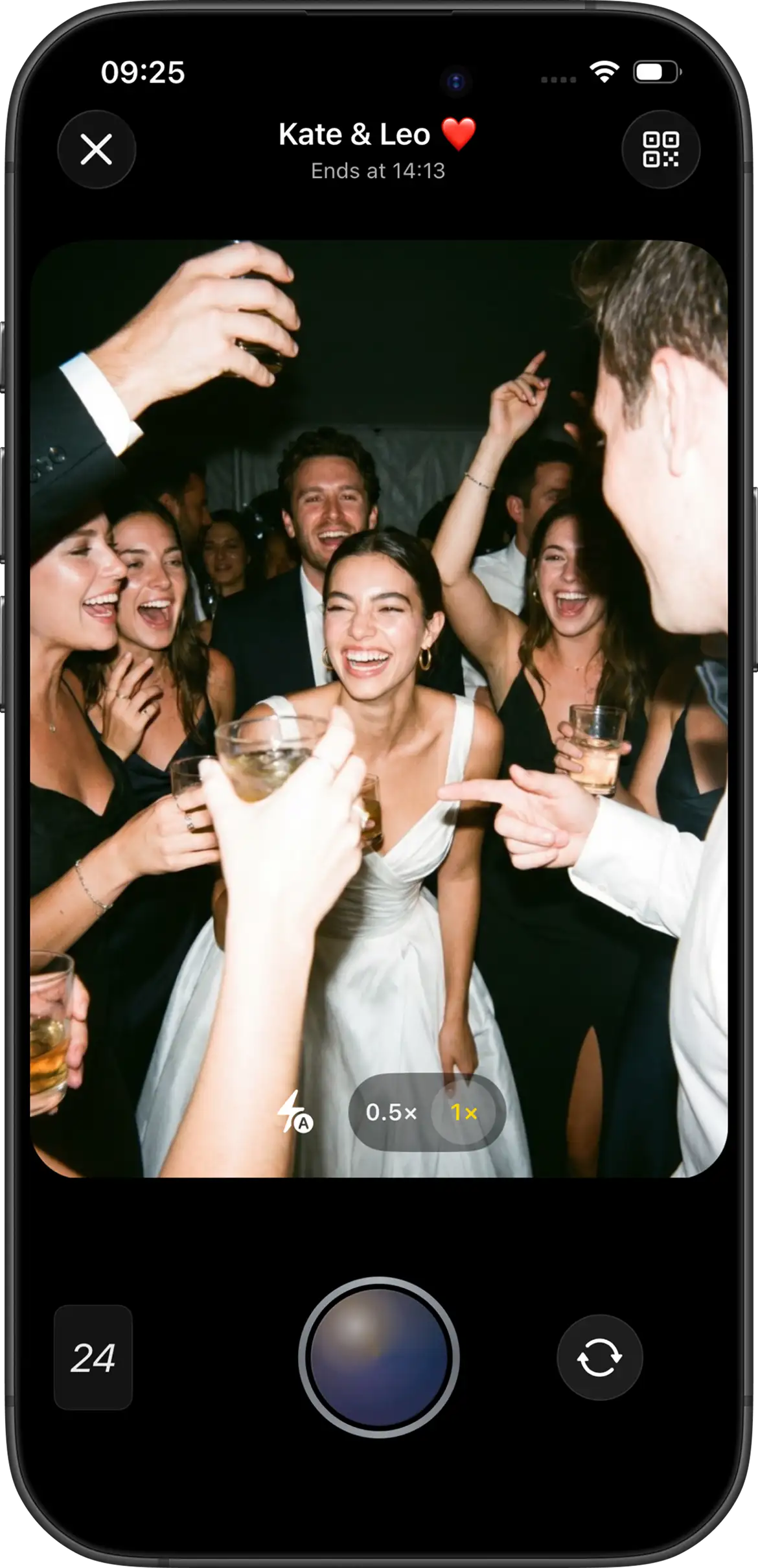
Join Camera is built around one shared event camera. Hosts configure shot limits, choose Vintage or Black & White at creation, and pick instant or delayed reveal. Guests can take shots without an account. Offline capture is supported. Video is not supported yet.
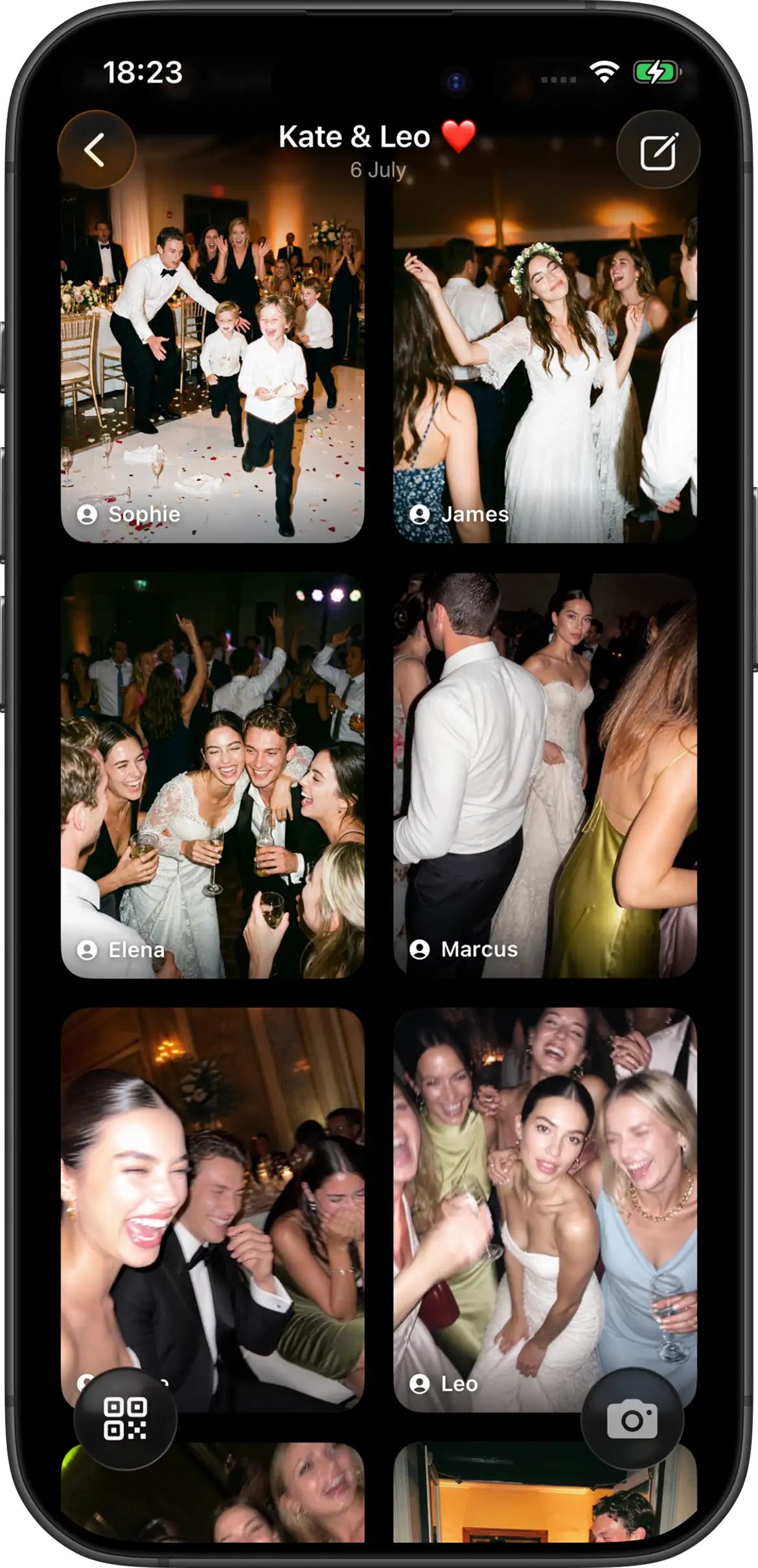
The product is designed for the participation problem, not just the storage problem. A couple can create an event before the wedding, place the invite on table cards or signs, and let guests contribute during the reception. Instant reveal means participants can see photos immediately after they are taken. Delayed reveal keeps photos hidden until after the event, optionally after an additional host-selected delay.
On iPhone, guests join from a QR code or invitation link through the App Clip without installing the full app first. On Android, guests join from the same invite in the Join Camera app. The free tier supports up to 5 guests with up to 24 shots each. After reveal, signed-in users can download photos. Hosts can delete photos; there is no separate moderation workflow.
Best for: couples who want scarcity, a reveal moment, and a clear guest participation ritual during the wedding.
It is not the right fit if video capture is a must-have today, or if you want a separate moderation queue beyond the host's ability to delete photos. It is also worth explaining the Android path clearly on signage, since Android guests join through the Join Camera app from the same QR code or invite link.
2. Established disposable camera apps: POV, Scene, Lense, Once
These brands dominate many wedding disposable-camera searches. Public marketing commonly emphasizes QR invites, film-style looks, and delayed or timed reveal. They are worth testing if you want a category-native wedding flow and already recognize the brand.
Treat them as serious category options, but do not assume that every product handles guest access, downloads, reveal timing, pricing, or platform behavior the same way. Public positioning can make apps sound similar even when the day-of experience differs. Your guests will feel the differences in the first minute, not in the marketing copy.
The right way to evaluate them is practical: create a tiny event, invite friends on iPhone and Android, and check whether the least tech-savvy person can finish without help. Brand familiarity does not automatically equal the lowest friction for your guest mix.
Pay attention to what happens after the first scan. Does the guest understand whether they are taking new photos or uploading existing ones? Is the reveal timing clear? Can the host explain the process in one sentence on a printed sign? Those answers matter more than whether two apps appear in the same search results.
Compare them in more detail on best disposable camera apps for events (2026) and the alternatives hub.
3. QR upload galleries: best for collecting existing photos
Upload-focused QR tools are useful when guests are already shooting on their normal camera apps and you mainly need one destination for those files. Setup is usually simple, and the concept is easy to explain.
They can be a good fit for welcome parties, family weekends, or couples who do not want a limited-shot experience. A QR upload gallery asks guests to contribute what they already captured, which may feel natural for people who prefer their phone's normal camera app.
The trade-off is behavioral. Upload galleries often still depend on guests remembering to contribute. They collect files well when people follow through. They do not automatically recreate limited shots or a disposable-camera reveal unless the product adds those rules.
If you choose this route, make the timing explicit. Ask guests to upload during cocktail hour, before they leave the reception, or by a specific next-day moment. Without a prompt, “scan to upload photos” can become another task everyone intends to do later.
4. Google Photos and iCloud shared albums: best free familiar option
Shared albums win on familiarity and price. For a tiny wedding party that already lives in the same ecosystem, they can work. For a mixed guest list, they often underperform because contribution is passive and account friction is real.
Their strength is archiving. Parents can save professional gallery favorites, siblings can add rehearsal photos, and close friends can keep a shared record after the weekend. Their weakness is participation at scale. A 120-person reception includes different phone habits, different comfort levels, and different levels of follow-through once everyone leaves.
Use them as an archive layer if needed. Be careful about using them as your only guest-photo plan for a large reception. See shared photo album vs wedding event app for the deeper comparison.
If a free shared album is your primary choice, reduce the ask. Do not expect every guest to sort and upload everything. Ask a smaller group of reliable people to contribute, then treat anything else as a bonus.
How to choose in one weekend
- Decide whether you want in-moment capture or later uploads.
- Shortlist two apps that match that job.
- Run a 15-minute test with real guest phones.
- Pick the flow that is easiest for the least tech-savvy person.
- Only then print QR signs and table cards.
If participation during the wedding is the priority, start with a disposable-camera style event app. If you only need a place for a few relatives to drop files later, a shared album may be enough.
During the test, resist the urge to explain every step. Send the QR or invite link the way guests will see it and watch what happens. The best wedding photo sharing app should make the next action obvious without a long tutorial. If your tester asks “what do I do now?” the sign or app flow needs work before you print anything.
Also test the after-event experience. If photos are delayed, confirm that the unlock timing makes sense and that guests understand they are waiting on purpose. If downloads matter, confirm the rules before promising guests they can save everything immediately.
Related setup guides
Choosing an app is only half the work. The rest is execution: where the QR code appears, what the sign says, when the announcement happens, and whether guests know the gallery is instant or delayed. These related pages cover the day-of pieces that turn a good tool into an actual guest-photo collection.
Create your wedding photo event


Questions? Contact us.
Frequently asked questions
What is the best wedding photo sharing app in 2026?
The best wedding photo sharing app depends on whether you want in-the-moment capture or post-event uploads. For candid participation during the wedding, a disposable-camera style event app usually has an advantage over a passive shared album because guests are asked to contribute while the celebration is happening. Join Camera fits hosts who want configurable shot limits, instant or delayed reveal, offline capture, and guest access through an iPhone App Clip or the Android app from the same QR code or invite link.
Do guests need to download an app?
Not always, and the answer varies by product, platform, and current implementation. Some tools position themselves around browser-based or QR-based uploads, while others use native app or App Clip flows. With Join Camera, iPhone guests can join through the App Clip from a QR code or invite link without installing the full app first. Android guests join from the same QR code or invite link in the Join Camera app. Guests can take shots without creating an account.
Is Google Photos a good wedding photo sharing app?
Google Photos can be a good free archive for small, tech-comfortable groups that already use the same ecosystem and will reliably upload later. It is usually a weaker primary system for large weddings because contribution is passive, account friction can exist, and the format does not create the same limited-shot or delayed-reveal ritual as a disposable-camera style event app. Many couples are better served by collecting candids during the wedding, then using an archive layer afterward if they still want one.
What should couples compare before choosing?
Compare guest join friction, whether capture happens during the event or after it, whether hosts can set shot limits, reveal timing, offline behavior, download rules, and pricing clarity. You should also test the actual flow on both iPhone and Android before printing signs. The best app is not the one with the longest feature list; it is the one your least tech-savvy guest can finish without help at a busy reception.
Can a wedding photo sharing app replace a photographer?
No. Wedding photo sharing apps collect candids, guest perspectives, and informal moments that a photographer may not be standing near when they happen. A hired photographer still covers the formal timeline, portraits, ceremony, details, and professional coverage. The strongest setup is usually both: professional photos for the official story and a guest-photo app for the side conversations, dance-floor chaos, table reactions, and behind-the-scenes moments.
Related: best disposable camera apps · Join Camera for weddings · pricing · alternatives