
Comparison guide
Best disposable camera apps for events (2026)
If you want guests to capture candid wedding or party photos with the feeling of a disposable camera, you are choosing between apps that look similar on the surface. Most promise a QR invite, a shared gallery, and some version of limited shots or delayed reveal. The useful differences show up under real event pressure: noisy venues, mixed phone platforms, weak Wi-Fi, and guests who will not install anything for one night.
This guide compares Join Camera with established options that frequently appear in the same search results — POV, Scene, Lense, and Once.film — using public product positioning plus verified Join Camera facts. The goal is not to crown a universal winner. It is to help you pick the flow that matches your event.
Disclosure: We build Join Camera. Competitor details are summarized from public marketing and App Store positioning and can change. Verify current features on each product before you decide.
What a disposable camera app should actually do
A disposable camera app is not just a shared album with a vintage filter. The category works when it recreates the ritual that made physical disposables fun: finite shots, a shared destination, and a reveal that feels like developing film. Without those constraints, the product drifts into generic photo sharing.
For weddings and events, that means the app has to do more than look nostalgic. It has to make guest participation easy in the moment, keep photos organized in one gallery, and give the host control over how and when the album unlocks.
How we evaluated disposable camera apps
Ranking by aesthetics alone is a trap. For events, the page that matters is the guest experience under pressure.
- Guest join: QR / link speed, App Clip or browser access, account requirements
- Shot limits: Can the host set scarcity, or is capture unlimited by default?
- Reveal: Instant gallery vs delayed unlock after the event
- Reliability: Offline capture when venue Wi-Fi fails
- Control: Host delete tools, downloads, privacy defaults
- Platforms: iPhone and Android guest paths
- Pricing: Free tier clarity and paid event capacity
Those criteria matter more than brand familiarity. An app can look beautiful in screenshots and still fail if guests bounce at the join step or if the gallery depends on perfect venue internet.
Quick comparison
| App | Guest join | Shot limits | Reveal | Best when |
|---|---|---|---|---|
| Join Camera | QR / link; iOS App Clip; Android via Join Camera app | Host-configurable | Instant or delayed | You want host-controlled limits, reveal timing, and offline capture |
| POV | QR / link; App Clip / Instant App marketing | Optional (per POV) | Delayed / live options marketed | You want category-leading customization and brand presence |
| Scene | Browser-first QR join (per Scene) | Varies by positioning | Timed reveal marketed | You want browser access and film-style filters |
| Lense | QR guest access marketed | Supported (per Lense) | Delayed reveal supported | You want an established wedding disposable-camera option |
| Once.film | QR / App Clip marketing | Limited shots emphasized | Delayed unlock emphasized | You want a premium film-roll aesthetic |
Join Camera
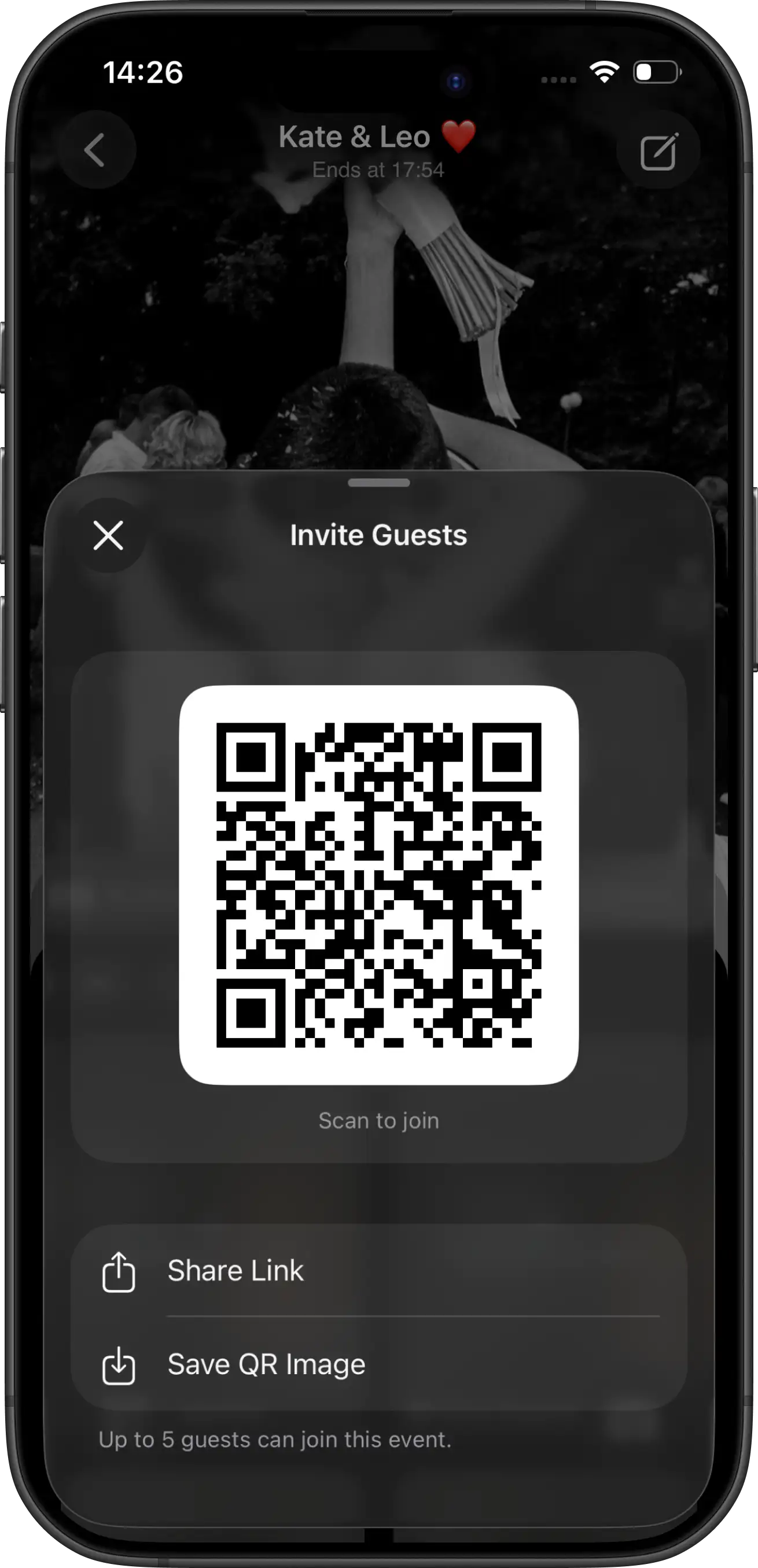
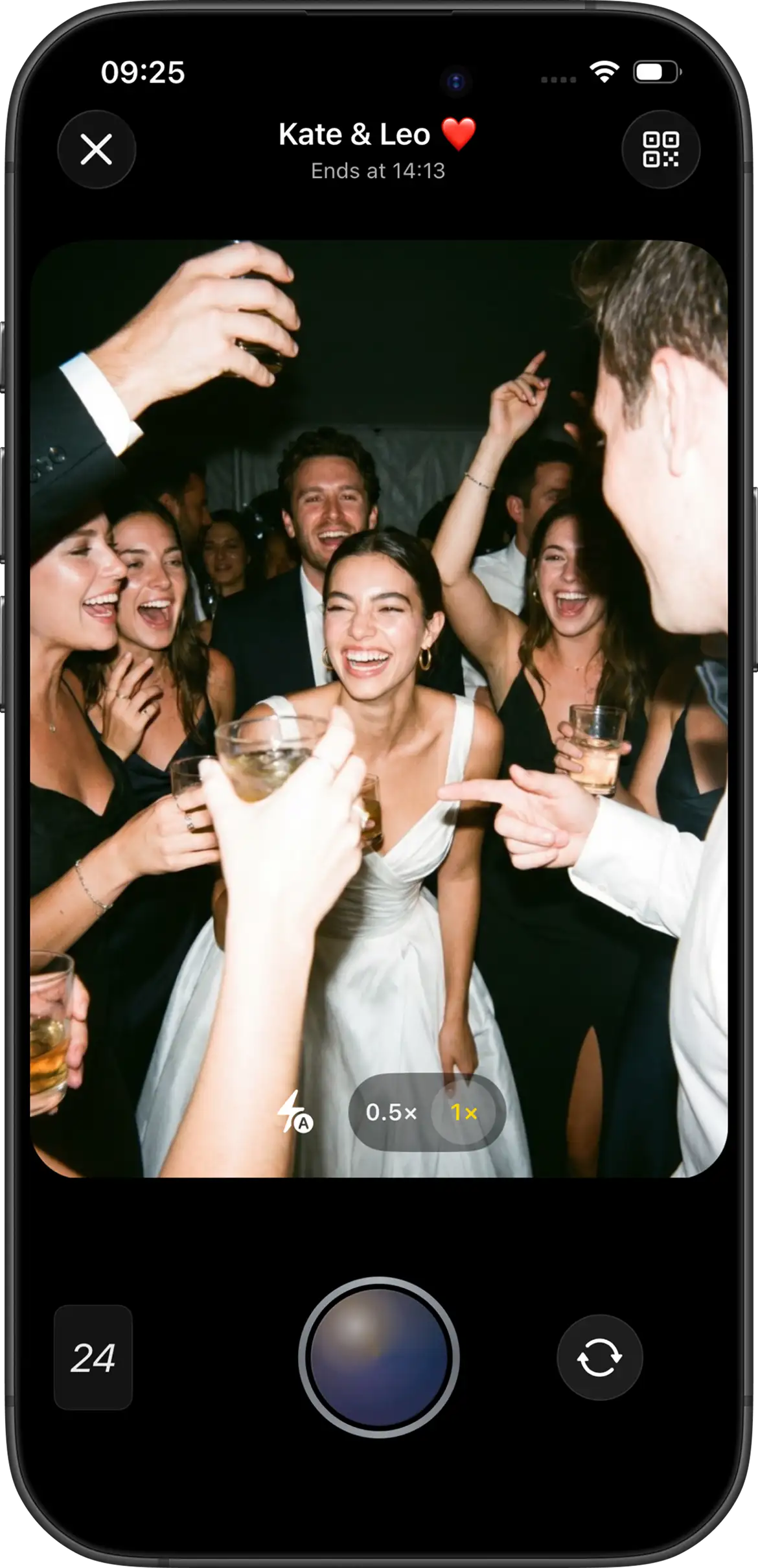
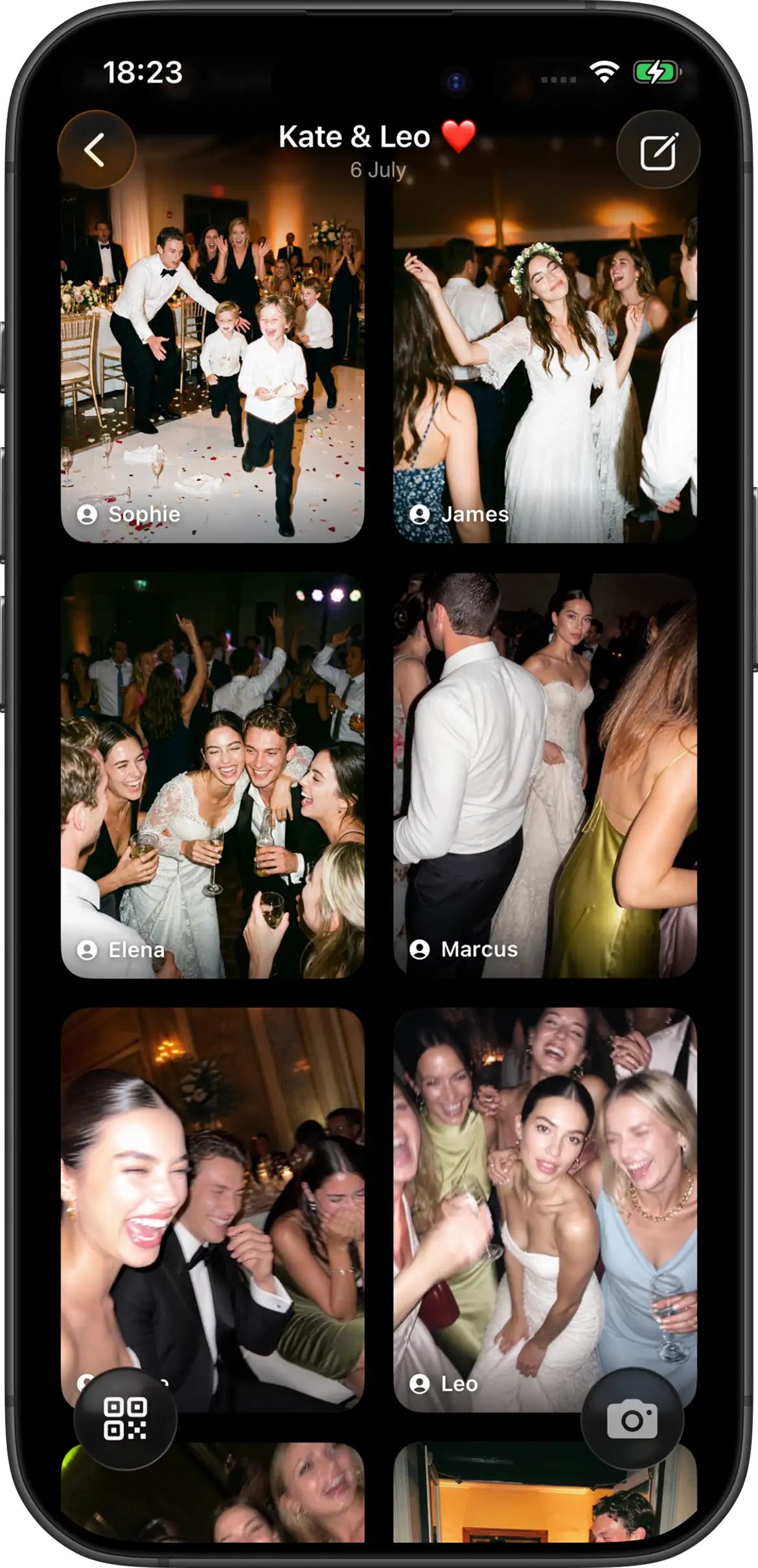
Join Camera is built for shared disposable-camera events: one gallery, host-set rules, and a reveal you control. Hosts configure the shot limit, choose Vintage or Black & White at event creation, and pick instant or delayed reveal. Guests can always take shots without creating an account.
On iPhone, guests join from a QR code or invitation link through the App Clip without installing the full app first. On Android, guests join from the same invite in the Join Camera app. Offline capture is supported when venue internet is unreliable. Video is not supported yet.
The free tier covers up to 5 guests with up to 24 shots each. Larger capacities (50–200 guests), guest add-ons, and unlimited-shot options are available as U.S. App Store in-app purchases. After reveal, signed-in users can download photos. Hosts can delete photos; Join Camera does not currently offer a separate moderation workflow.
That combination matters for hosts who want clear control without turning the wedding into a software project. The guest path stays short, the rules stay visible, and the gallery has a defined reveal moment instead of becoming another always-on album.
Best for: hosts who want clear control over limits and reveal timing, plus iPhone App Clip + Android app guest coverage.
Watch-outs: Android guests join through the Join Camera app, so signage should say that clearly. There is no separate moderation queue beyond host deletion, and video is not available yet.
POV
POV is one of the best-known disposable camera apps for weddings and events. Public marketing emphasizes QR guest access, App Clip / Instant App join, customization, and photobook paths. It is usually the brand people already recognize in this category, which is a real advantage when couples want a familiar name and a polished wedding presentation.
POV often stands out on design and customization. If branded invitations, event styling, and a more packaged wedding look matter to you, it is one of the first apps worth testing. The trade-off is the same one that applies to any category leader: you should still validate the exact guest path on the phones your guests will use, not assume brand recognition equals the lowest friction for your specific crowd.
Best for: couples who want POV’s design tools and established wedding presence. Compare it directly on Join Camera vs POV.
Scene
Scene markets a browser-first disposable camera experience with film-style filters and timed reveal. It is especially visible in SEO for “best disposable camera app” queries and wedding use-case pages, which is why many couples discover it while researching alternatives.
Scene’s public positioning leans hard into low guest friction and a cohesive film look. That makes it a strong option to evaluate if browser access and visual consistency are your top priorities. As with every competitor here, confirm current feature details directly before you decide, because public marketing can move faster than your wedding timeline.
Best for: hosts prioritizing browser guest access and cohesive film looks. See Join Camera vs Scene.
Lense
Lense has strong wedding-market traction and markets QR guest access with a digital disposable-camera flow. It is a frequent comparison point for couples who already searched “disposable camera app for weddings.”
Lense’s appeal is usually category familiarity. If you want an established wedding option and a recognizable disposable-camera setup, it belongs on your shortlist. The decision then becomes practical: how fast guests can join, how shot limits and reveal timing work for your event, and whether the overall flow feels lighter than the other apps you are testing.
Best for: hosts who want a proven wedding disposable-camera option. Compare on Join Camera vs Lense.
Once.film
Once leans into the premium film-roll story: limited shots, delayed unlock, and QR / App Clip guest join. It sits close to Join Camera’s product category — shared event film with intentional scarcity.
If the emotional story of a film roll matters as much as the logistics, Once is often one of the apps couples feel most drawn to. The right way to evaluate it is still the same: run a small test, check join friction on real guest phones, and make sure the delayed unlock behavior matches the experience you want after the wedding.
Best for: hosts who want Once’s film branding and delayed-unlock ritual. Read Join Camera vs Once.film.
Best picks by event type
- Weddings: Prioritize guest join speed, delayed reveal, and mixed iPhone / Android support. Start with a test QR the week before and make sign wording accurate for both platforms.
- Small parties / free tests: Use a free tier (Join Camera: 5 guests / 24 shots each) to validate the flow before paying for capacity.
- Weak venue Wi-Fi: Prefer apps that advertise offline capture. Join Camera supports offline capture, which matters in older buildings, outdoor venues, and basement receptions.
- Design-heavy branding: POV’s customization is often the differentiator hosts cite when the invitation look matters as much as the camera itself.
- Film aesthetic first: Scene and Once are frequent shortlist picks when couples care deeply about the disposable-camera mood and timed unlock story.
How to choose in 15 minutes
- Create a tiny test event in each app you are considering.
- Invite 2–3 friends on the phones your guests actually use.
- Check join speed, shot limits, and reveal behavior.
- Pick the flow your least tech-savvy relative can finish without help.
- Only then print signs, table cards, or wedding-website links.
That last step matters. Couples often choose an app from a comparison table and then discover friction after the stationery is already printed. A 15-minute test with real phones is cheaper than reprinting QR cards.
Related wedding setup guides
Once you pick an app, the rest of the result depends on setup. Use these cluster guides for the practical side of guest photo collection:
Try Join Camera for your next event


Questions? Contact us.
Frequently asked questions
What is the best disposable camera app for events in 2026?
There is no single winner for every wedding or party. Compare guest join friction, shot limits, reveal timing, platform support, and pricing against the kind of event you are hosting. Join Camera fits hosts who want configurable shot limits, instant or delayed reveal, offline capture, and guest access on iPhone and Android. The best choice is usually the one your least tech-savvy guest can finish without help.
Do guests need to download an app?
It depends on the product and the guest's phone. With Join Camera, iPhone guests can join through an App Clip from a QR code or invite link without installing the full app first. Android guests join from the same QR code or invite link in the Join Camera app. Guests can take shots without creating an account. Always test your actual guest mix before the event instead of assuming every phone behaves the same way.
Are shot limits required?
No. On Join Camera, hosts choose the shot limit. Limits recreate the scarcity of film and often produce more intentional photos. Unlimited-shot options are available through in-app purchases. If your priority is maximum volume rather than intentional scarcity, a looser limit or unlimited mode may fit better.
What is a delayed photo reveal?
Delayed reveal hides photos until after the event, optionally after an additional host-selected delay. Instant reveal lets participants see photos immediately after they are taken. Join Camera supports both. Delayed reveal is usually the closer match to a disposable-camera ritual because it creates anticipation and keeps attention on taking the photo instead of reviewing the gallery all night.
Is there a free disposable camera app option?
Join Camera’s free tier supports up to 5 guests with up to 24 shots each. That is enough to run a rehearsal or family test before paying for a larger wedding capacity. Larger guest capacities and unlimited-shot bundles are available as U.S. App Store in-app purchases.
Can guests download the photos?
With Join Camera, only signed-in users can download photos, and only after the photos have been revealed. Hosts can delete photos; there is no separate moderation workflow. If downloads matter to your guests, communicate that rule clearly so expectations stay aligned after the reveal.
What should I test before choosing an app?
Create a tiny test event, invite two or three friends on the phones your guests actually use, and check join speed, shot limits, reveal behavior, and whether the least tech-savvy person in the group understands the flow. A polished marketing page matters less than a clean first guest experience under real conditions.
Related: what a disposable camera app is · Join Camera for weddings · how to collect wedding photos from guests · all alternatives · pricing