
Wedding photo ideas
Alternatives to disposable cameras at weddings
Physical disposable cameras still show up on wedding Pinterest boards for a reason: limited shots, surprise photos, and a shared reveal after developing. The logistics — buying cameras, collecting rolls, paying labs, losing film — push many couples toward digital alternatives.
The best alternative depends on what you loved about disposables. If it was scarcity and delayed unlock, a digital event camera is usually the closest match. If it was the physical print, an instant camera station may matter more. If it was simply guest participation, a QR-based shared camera or gallery can solve the problem with less chaos.
This guide compares the main options so you can choose based on the experience you want, not just the cheapest substitute.
What people actually want from disposable cameras
Couples rarely want the plastic camera itself. They want the behavior and the payoff that disposable cameras create.
- Every guest becomes a photographer
- Finite shots that feel intentional
- A reveal moment instead of live scrolling
- Candid angles the hired photographer misses
- One collection of guest perspectives
Once you know which of those matter most, the right alternative becomes clearer. Trying to replace everything with one tool often leads to disappointment. Matching the alternative to the ritual you care about works much better.
Why couples look for alternatives in the first place
Physical disposables create charming photos, but they also create work. Someone has to buy enough cameras, place them correctly, recover them at the end of the night, and handle development. Rolls get lost. Batteries die. Guests leave cameras in bags or forget to shoot at all.
Digital alternatives exist because couples still want the feeling of guest photography without turning themselves into film logistics managers. The goal is usually the same: more candid photos, less chasing, and a better guest experience.
Cost is part of the conversation, but it is rarely the whole story. A cheaper option that collects half the photos is not actually the better deal. The right alternative should reduce logistics while protecting participation.
How to judge any disposable-camera alternative
Before comparing tools, judge them against the wedding-day reality you actually have: mixed phone types, distracted guests, and a short window of attention.
- Does it create action during the wedding? Systems that wait until after the event usually lose photos.
- Does it keep one destination? Multiple collection channels recreate the same chaos disposables were meant to avoid.
- Does it preserve any of the ritual? Shot limits, delayed reveal, and shared unlock are what make the experience feel special rather than administrative.
- Can the least tech-savvy guest finish it? If your aunt needs a tutorial, participation will suffer.
1. A digital disposable camera app
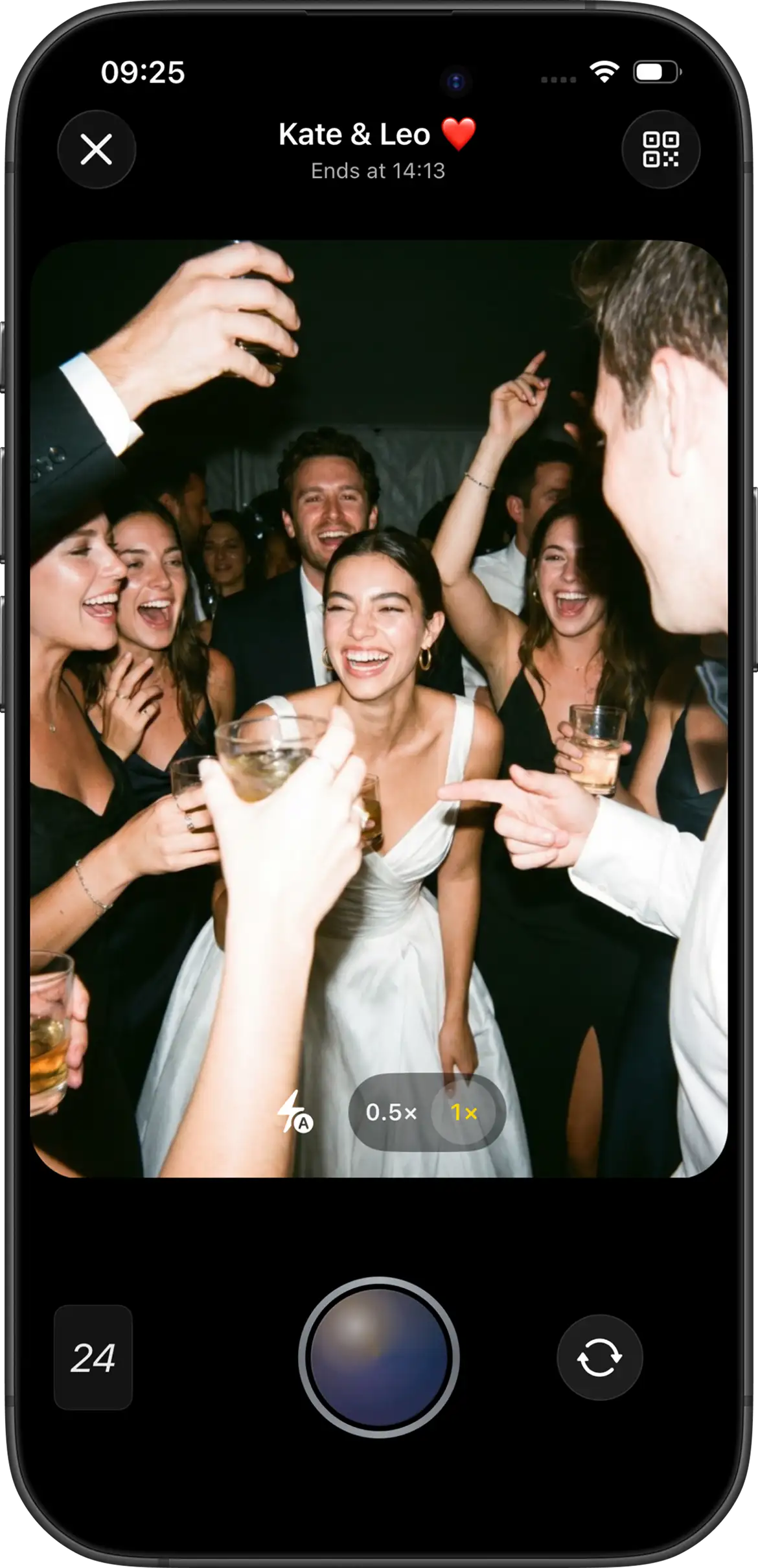
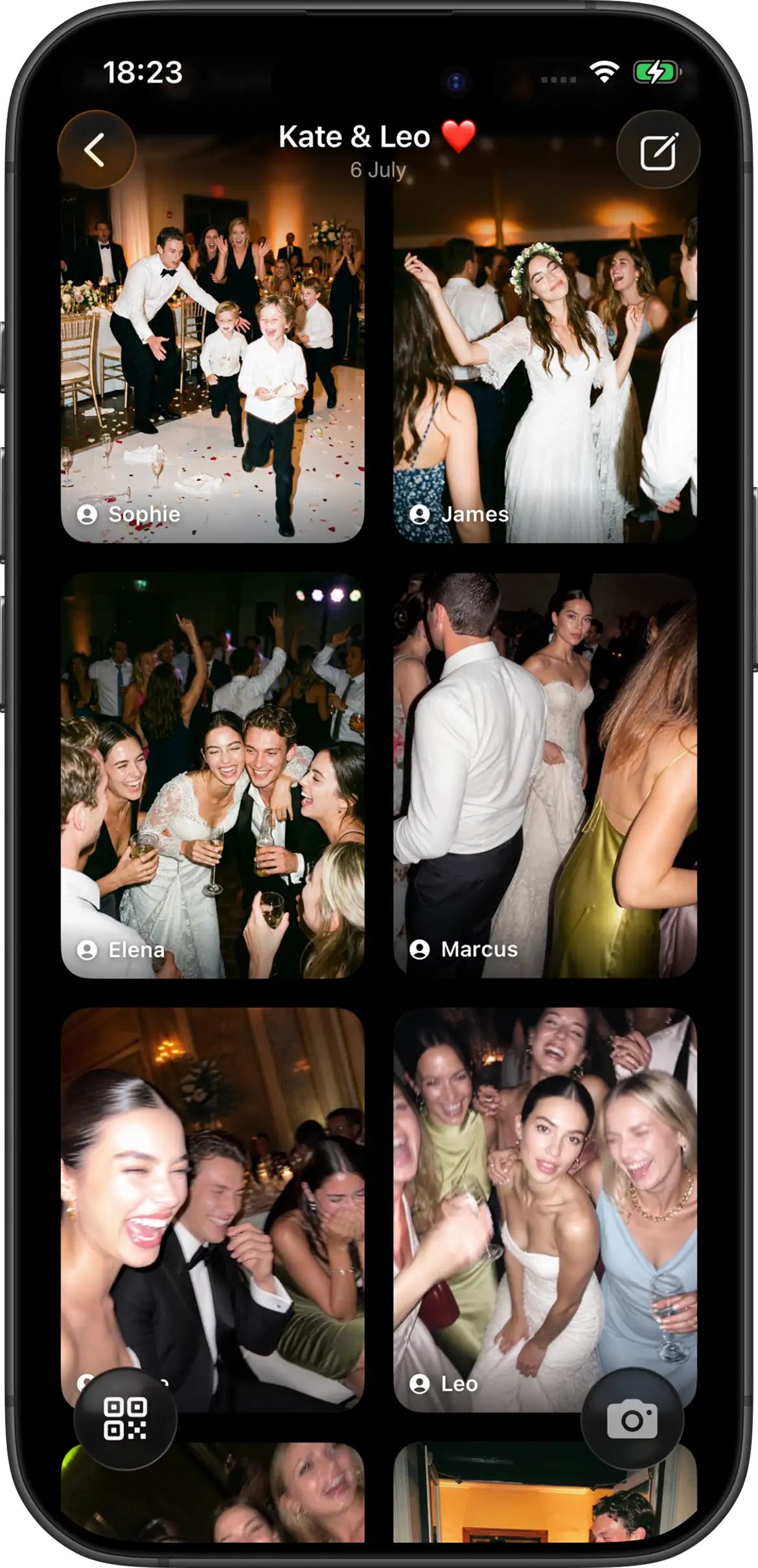
Closest replacement for the original ritual. Guests use their phones, the host can limit each person’s shots, and photos can stay hidden until after the wedding. That combination recreates the two things people usually miss most about film disposables: scarcity and anticipation.
Join Camera supports configurable limits, offline capture, Vintage or Black & White filters at event creation, and instant or delayed reveal. iPhone guests can join via App Clip from a QR or invite link. Android guests join from the same invite in the Join Camera app. Guests can shoot without an account. Signed-in users download after reveal. Hosts can delete photos; there is no separate moderation workflow. Video is not supported yet. Free tier: up to 5 guests and 24 shots each.
Choose this if: limited shots and delayed reveal are the parts you care about most.
2. A QR code upload gallery
Upload galleries collect photos guests already took with their normal camera app. They maximize quantity and keep setup simple, but they do not recreate film scarcity or a coordinated develop moment unless the product adds those rules separately.
This option is useful when your main problem is collection, not ritual. Guests may already be shooting on their own cameras all night. A QR gallery gives those files one destination. The risk is the same old one: some guests will mean to upload later and never do it.
Choose this if: you want as many existing camera-roll photos as possible and care less about shot limits or delayed reveal.
3. An instant camera station
Instax and Polaroid-style cameras preserve a physical print guests can stick in a guestbook. Film cost, supervision, and limited coverage across the venue are the trade-offs.
Instant cameras win on tactility. A print in the hand feels more special than another phone photo. They lose on scale. Coverage stays near the station, film runs out, and someone usually needs to watch the setup. Many couples use an instant camera guestbook as a charm layer beside a digital shared camera, not as the only system.
Choose this if: a tactile keepsake matters more than complete digital coverage.
4. A wedding photo booth
Booths create a destination for posed group shots with consistent lighting and props. They cover a narrower slice of the night than cameras that travel with every guest. Many couples use both: booth for portraits, shared camera for candids.
A booth is entertainment as much as photography. Guests know what to do, the lighting is predictable, and prints or digital strips can become favors. What a booth cannot do well is capture the quieter and more spontaneous parts of the wedding away from that one corner. See wedding photo booth alternatives for a deeper comparison.
5. A shared cloud album
iCloud and Google Photos albums are familiar and inexpensive, but account and platform friction can cut participation. They also lack built-in shot limits and event reveal timing.
Shared albums are fine for small, tech-comfortable groups. At a mixed wedding, they often underperform because the ask is passive: remember later, sign into the right ecosystem, and upload. That is a weak substitute for a disposable-camera ritual if what you wanted was scarcity, surprise, and broad guest involvement during the event.
Quick decision guide
| If you care most about… | Choose |
|---|---|
| Limited shots + delayed reveal | Digital disposable camera app |
| Maximum existing photo volume | QR upload gallery |
| Physical prints during the night | Instant camera station |
| Posed group entertainment | Photo booth |
| Zero new tools for tech-savvy guests | Shared cloud album (with caveats) |
Can you combine more than one alternative?
Yes, and that is often the best answer. A digital disposable camera can handle roaming candids while an instant camera guestbook or DIY portrait corner handles the tactile keepsake. A booth can stay for entertainment while a shared event camera collects everything the booth will never see.
The important rule is to keep one primary collection destination. Guests should not be asked to contribute in five different ways. Choose one main system for photos, then add secondary stations for charm or entertainment.
How to test your alternative before the wedding
- Decide which disposable-camera qualities you actually want.
- Create a small test with your wedding party.
- Confirm the join path on both iPhone and Android if needed.
- Check whether the experience feels fun or like homework.
- Only then print signs or buy physical supplies.
A short rehearsal test usually reveals more than another hour of product comparison. If your wedding party hesitates, guests will hesitate too. Fix the wording, placement, or tool choice before the stationery is locked.
For app comparisons in this category, see best disposable camera apps for events (2026). For the practical guest-collection workflow, see how to collect wedding photos from guests.
The practical recommendation
If you want the closest digital match to disposable cameras, start with a shared event camera that supports limited shots and delayed reveal. Add a guestbook instant camera or DIY portrait corner only if you also want a physical keepsake or posed entertainment layer.
If your priority is simply collecting as many existing phone photos as possible, a QR upload gallery may be enough. Just be honest about the trade-off: you are optimizing for volume, not for the disposable-camera ritual.
The couples who end up happiest usually pick one primary system, make the guest instruction obvious, and test it before the wedding day. That beats owning three half-used photo ideas and one incomplete gallery.
Try a digital disposable camera for your wedding


Questions? Contact us.
Frequently asked questions
What is the closest alternative to disposable cameras at a wedding?
A digital disposable camera app is the closest match when you want limited shots and a delayed reveal without buying and developing physical film. Guests still feel the scarcity and the shared unlock, but the logistics stay lighter: no rolls to recover, no lab turnaround, and one shared gallery instead of scattered film envelopes.
Is a QR upload gallery the same as a disposable camera app?
No. Upload galleries collect photos guests already took with their normal camera. Disposable camera apps turn phones into an event camera with shot limits and optional delayed reveal. Both can use a QR code, but they create different guest behaviors and different galleries.
Can I combine physical cameras and a digital app?
Yes. Some couples keep a few physical cameras for nostalgia and use a digital shared camera for broader guest coverage and easier collection. That hybrid works well when you want the tactile charm of film without depending on every table to return a physical camera at the end of the night.
What does Join Camera include as a digital alternative?
Configurable shot limits, Vintage or Black & White filters at event creation, instant or delayed reveal, offline capture, iPhone App Clip join, and Android join via the Join Camera app. Guests can shoot without an account. Signed-in users can download after reveal. Hosts can delete photos; there is no separate moderation workflow. Free tier: up to 5 guests and 24 shots each. Video is not supported yet.
Which disposable-camera alternative gets the most guest participation?
Usually the option that asks guests to act during the wedding, not after it. Digital event cameras and well-placed QR invitations tend to beat shared albums and “please upload later” requests because the contribution happens while people are already in photo mode.
Related: best disposable camera apps · what a disposable camera app is · collect guest wedding photos · photo booth alternatives